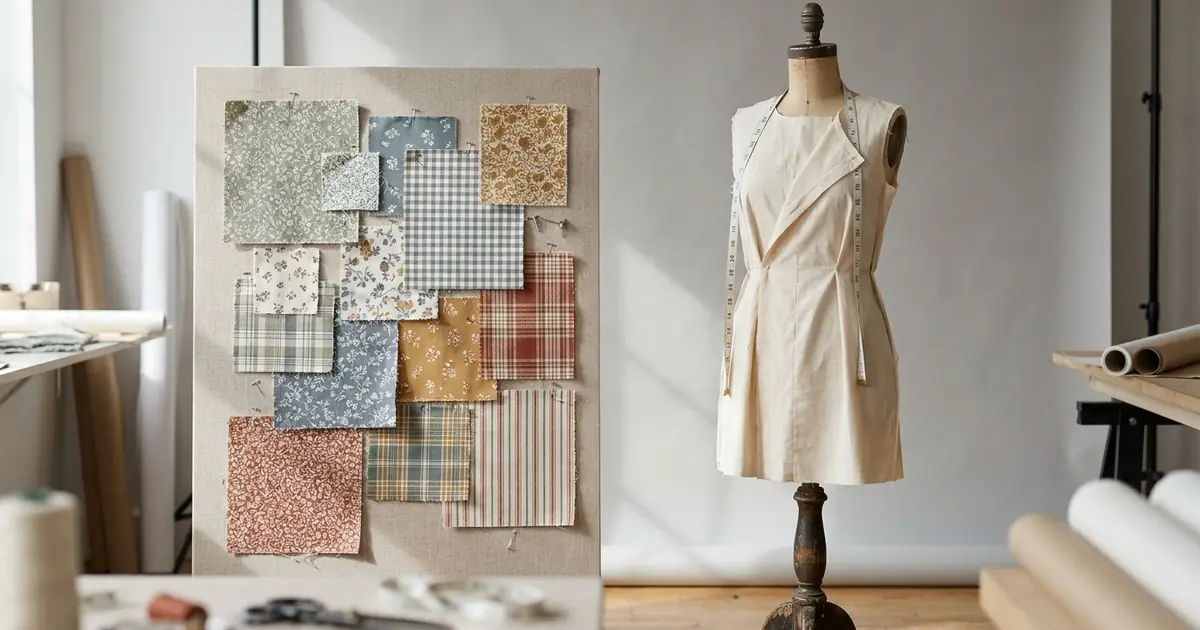
The best AI tool to show fabric on a garment depends on what you have in your hands: a photo of a swatch, a print file, a photo of a finished garment, or a 3D pattern. If all you have is a swatch photo, Photta’s AI Fabric Studio is the most direct route: you upload the swatch, pick one of more than 80 garment templates, and get the fabric drawn on that shape for about $0.33 to $0.51 an image on its monthly plans, which start at $19 a month. For a repeating print on product mockups, PatternedAI costs about $0.15 a mockup, and Segmind does a similar job through an API. Pointcarre Mapping and ArahDrape place a design by hand on a photo of a real garment. For drape that follows the measured weight and stretch of the cloth, you need 3D garment software such as CLO, Browzwear VStitcher or Style3D, which means a 3D pattern and a digitised fabric. All facts were read on 15 November 2026, Photta’s prices on 18 November 2026.
We made this list by reading each vendor’s own product and pricing pages on 15 November 2026. Photta is a sister product of pSeoMatic (same founder) and is listed first for that reason; the order of the other nine is not a ranking.
Best AI tools to show fabric on a garment at a glance
| Tool | Best for | Works from | Starts from | Free start |
|---|---|---|---|---|
| Photta | A swatch shown on many garment shapes, no 3D | Swatch photo plus one of 80+ garment templates | $19 a month; about $0.33 to $0.51 an image | 20 credits, no card, watermarked |
| PatternedAI | Print designers previewing a repeat | Pattern file plus a library mockup or your product photo | $30 a month; about $0.15 a mockup | 100 one-time credits |
| Segmind | Developers who want the step as an API | Fabric image plus a photo of a model in the garment | Pay as you go from $10; about $0.22 a run | Not stated |
| Raspberry AI | Design teams editing garment images | Garment image plus a pattern or texture, with masks | $49 per user a month | 20 credits a month, no card |
| OpenCreator | A swatch turned into a skirt and a catwalk clip | Swatch photo only | $39 a month | 500 credits a month |
| Pointcarre Mapping | Textile design offices presenting a collection | Product photo plus a design, placed by hand | Not stated | Not stated |
| ArahDrape | Weavers who need many draped images | Product photo plus a repeating texture, regions drawn by hand | €2,500 | Free demo, cannot save images |
| Style3D | Mills building a digital fabric library | Scanned and measured fabric, shown on 3D avatars | Not stated (contact sales) | Free credits on its separate AI web tool |
| Browzwear VStitcher | Brands and factories approving fit in 3D | 3D pattern plus digitised fabric | $75 a month | Not stated |
| CLO | Freelancers and brands designing in 3D | 3D pattern (DXF) plus digital fabric | $50 a month | 14 days, card required |
Two kinds of tools that show fabric on a garment: from a picture, or from a 3D pattern
What matters is what the tool builds the garment from. Picture tools take an image of your fabric and an image of a garment (a template, a mockup or your own photo) and produce a new image. 3D tools build the garment from sewing pattern pieces on an avatar and calculate how the cloth hangs from its weight, thickness, stretch and bending.
Picture tools split again. AI image tools (Photta, PatternedAI, Segmind, Raspberry AI, OpenCreator) generate the result, so the fabric in the picture is a redrawing of your swatch, not your pixels laid on top. They are fast and need no setup, but the result has to be checked against the real cloth. Texture mapping tools (Pointcarre Mapping, ArahDrape) keep your design file and bend it over a photograph; the folds and shadows come from the original photo.
3D tools (CLO, Browzwear VStitcher, Style3D) answer a different question. A picture tool shows a buyer what a print looks like on a shirt. A 3D tool is meant to show a pattern maker how a given cloth hangs in a given cut. For that you need a pattern and a measured fabric.
If your fabric does not exist yet as a repeating file, start with our comparison of AI seamless pattern generators; the mapping tools below expect a design that already repeats.
The 10 best AI tools to show fabric on a garment
Not every tool here is an AI tool in the strict sense. The first five generate images with AI; the mapping and 3D programs do the same job by other means.
1. Photta: a swatch photo shown as fabric on a garment template
Photta’s AI Fabric Studio takes one photo of a fabric swatch and draws that fabric on a garment silhouette you choose. Its page lists more than 80 templates in 9 categories, including dresses, tops, bottoms and outerwear. You can adjust the scale, rotation and placement of the fabric, then download the image in high resolution. The page advises an evenly lit, flat-lay swatch photo, names textile manufacturers and fashion designers among its users, and says results can be used commercially in presentations, catalogues and e-commerce listings. The page says the AI adapts the drape to the fabric’s visual properties, so it works from what the photo shows; it does not describe entering measured weight or stretch.
- Works from: one swatch photo plus a garment template from Photta’s library.
- Price: about $0.33 to $0.51 an image on the monthly plans ($19 to $369 a month; our arithmetic from the cost its page states). Without a plan, the one-time packs of 50 credits for $12 or 100 for $20 work out at $1.60 to $1.92 an image. Credits are refunded if a generation fails.
- Free start: 20 credits on sign-up with no card, enough for two fabric images by our arithmetic. Images made before paying carry a watermark.
- Not for: fit approval or production decisions; the image is generated from a photo and should be compared with the real cloth. The page describes templates only, and does not describe uploading your own garment photo, batches of swatches, or an API for this tool.
2. PatternedAI: a repeating print shown as fabric on a garment mockup
PatternedAI is a pattern design tool whose Pattern Mockup Creator applies a pattern to a product. You pick a ready-made mockup (t-shirts, hoodies, leggings, shirts, dresses, swimwear and more) or upload a photo of your own product, upload the pattern, and choose small, medium or large scale.
- Works from: a pattern image plus a library mockup or your own product photo.
- Price: Standard $30 a month, Pro $60 a month; a mockup uses 10 credits, so about $0.15 each (our arithmetic).
- Free start: 100 one-time credits for new users.
- Not for: woven or textured cloth photographed as a swatch. Its pages are written around flat pattern artwork.
3. Segmind: an API workflow that puts fabric on a garment worn by a model
Segmind is a platform of AI model APIs. Its AI Fabric Pattern Changer workflow takes a fabric image and a model image and applies the pattern to the clothing in the photo; the page says folds and draping are kept.
- Works from: a fabric or pattern image plus an existing photo of a model wearing the garment.
- Price: the workflow page shows about $0.22 a run. Pay as you go starts with a $10 credit purchase; Pro is $39 a month with $50 of credits.
- Free start: not stated on the pages we read.
- Not for: teams without a developer or a photo of the garment.
4. Raspberry AI: a design editor that applies fabric on a garment image with masks
Raspberry AI is a design platform for fashion teams. Its AI Design Editor has an Apply Prints and Patterns mode for patterns, textures or repeating prints, with lasso, polygon and smart mask tools to choose the area.
- Works from: an uploaded garment image plus a pattern or texture.
- Price: Individual $49 per user a month (120 credits); Basic $198 and Pro $298 per user a month. The credit cost of one edit is not stated.
- Free start: a free plan with 20 credits a month and no card.
- Not for: a mill that only has swatches. The editor starts from an image of a garment.
5. OpenCreator: a swatch turned into fabric on a garment and a catwalk video
OpenCreator is a workflow platform for commercial content. Its fabric template takes a swatch photo, has an image model design a skirt in that fabric, places it on a virtual model and produces a runway clip of about 8 seconds in vertical 1080p.
- Works from: a clear, well-lit swatch photo. The page says it is optimised for skirts and dresses.
- Price: Starter $39 a month. The credit cost of this template is not stated.
- Free start: a free tier with a 500 credit limit a month.
- Not for: showing the fabric on a garment shape you choose. The AI designs the garment itself.
6. Pointcarre Mapping: your design mapped as fabric on a garment photograph
Pointcarre is textile CAD software for weaving, printing and knitting. Its Mapping module drapes a design onto a real photograph: you drag the design onto the picture, give one real measurement so the scale is right, and bend the fabric along folds with arrow controls.
- Works from: a photograph of a garment plus a jacquard, dobby, print or knit design. The vendor states it is not a 3D simulation and needs no pattern.
- Price: not stated; the page offers a contact form.
- Free start: not stated.
- Not for: one-off use by a seller. It is desktop software for Mac and PC aimed at design offices.
7. ArahDrape: texture mapping that puts fabric on a garment photo in batches
ArahDrape, from the Slovenian weaving CAD maker Arahne, maps a texture over regions you outline on a photo. Its page estimates 15 minutes to prepare a skirt, then under a minute to change the texture. A batch function drapes and saves a whole folder of textures automatically.
- Works from: a photo of the garment (white or light solid fabric works best, 300 dpi or higher) plus a texture in repeat.
- Price: ArahDrape Desktop Edition is €2,500, including a year of support and updates.
- Free start: a free demo download; in the demo ArahDrape can save projects but not images.
- Not for: quick results from a phone photo of a swatch. The pages do not describe AI, and the texture must already repeat.
8. Style3D: scanned and measured fabric on a garment in 3D
Style3D sells 3D fashion software and fabric digitisation hardware. Style3D Fabric combines a scanner for texture with bending and tensile testers, then previews the digital fabric on avatars. A separate web product, Style3D AI, lists an Apply Pattern To Garment tool for all-over prints.
- Works from: a physical fabric that is scanned and measured, then applied in a 3D workflow.
- Price: not stated for Style3D Fabric; the page says contact sales.
- Free start: not stated for the 3D products. Style3D AI’s FAQ says new users get free credits.
- Not for: a small seller who wants one image today.
9. Browzwear VStitcher: fit and drape of fabric on a garment built from patterns
VStitcher is 3D design and development software. You work in 2D pattern drafting and 3D draping side by side and fit the garment on avatars. Browzwear’s Fabric Analyzer measures stretch, drape and thickness, and a service digitises fabrics you send in.
- Works from: pattern pieces (pre-built blocks are included) plus a digitised fabric.
- Price: Freelancer $75 a month or $750 a year; Teams $3,950 a year for up to three users.
- Free start: not stated, apart from a free six-month Learner licence for students and recent graduates.
- Not for: anyone without pattern skills.
10. CLO: 3D design software that simulates fabric on a garment
CLO is 3D garment design software. Its product page says you can open a DXF pattern and watch the 3D garment update as you edit. CLO’s Material Digitization Service measures and scans a fabric and validates it with a drape test.
- Works from: a sewing pattern plus a digital fabric.
- Price: Individual $50 a month or $450 a year, for freelancers and one-person businesses; companies with two or more employees need the Enterprise plan, priced on request.
- Free start: 14 days free with the full version; a card is required to start.
- Not for: a textile seller who wants pictures without learning pattern making. The digitisation service is offered only to companies.
How to check fabric on a garment images before you publish
Whichever tool made the image, compare it with the physical cloth before a buyer sees it.
| Check | What to look at |
|---|---|
| Repeat scale | Measure the repeat on the real fabric and compare it with the garment in the image |
| Colour | Hold the swatch next to a calibrated screen; AI tools can shift hue and contrast |
| Direction | Stripes, checks and one-way prints should run the way they would be cut |
| Surface | Sheen, pile, transparency and weight should look like the cloth, not like a flat print on cotton |
| Label | Tell buyers the picture is a digital visualisation, and send a physical swatch before an order is confirmed |
| Watermark | Free outputs from some tools, Photta included, carry a watermark |
Which tool to show fabric on a garment fits your shop
- You have swatch photos and want them on several garment shapes this week: use Photta.
- You design prints and want mockups for listings or a client deck: use PatternedAI, or Raspberry AI if your team already edits garment images there.
- You want to automate the step inside your own system: use Segmind’s workflow API.
- You want one striking image and a short video from a new fabric: use OpenCreator.
- You have a photo of a real garment and many designs to show on it: use Pointcarre Mapping or ArahDrape.
- You need drape that follows measured fabric data, or you must approve fit: use CLO, Browzwear VStitcher or Style3D.
- You also need the same garment in other colours: see our list of AI tools for product color variants.
FAQ: AI tools to show fabric on a garment
What are the best AI tools to upload a fabric swatch photo and visualize the fabric on a garment?
It depends on what you start with. Photta is the most direct choice when you only have a swatch photo, because it pairs the swatch with one of more than 80 garment templates. PatternedAI suits flat print artwork, and CLO, Browzwear VStitcher or Style3D suit teams that have patterns and need measured drape.
Can AI show my own fabric on a garment from one swatch photo?
Yes. Photta, Segmind and OpenCreator all accept a photo of the fabric itself, and Photta’s page recommends a high-resolution, evenly lit, flat-lay shot. The result is a generated image, so check the repeat size and colour against the real cloth.
How much does it cost to show fabric on a garment with AI?
About $0.15 to $0.51 an image with the AI tools, by the prices listed on 15 November 2026. PatternedAI works out at about $0.15 a mockup, Segmind shows about $0.22 a run, and Photta costs about $0.33 to $0.51 an image on monthly plans from $19 a month. 3D software is priced per seat: CLO is $50 a month and Browzwear VStitcher $75 a month.
Will AI change my print when it shows the fabric on a garment?
It can. AI image tools such as Photta, PatternedAI, Segmind and Raspberry AI redraw the fabric, so motifs, scale and colour may drift from the original. Texture mapping tools such as Pointcarre Mapping and ArahDrape work from your design file and bend it over a photo instead of generating a new image.
Can I show fabric on a garment for free?
Yes, within limits. Photta gives 20 credits without a card, enough for two fabric images, and those images carry a watermark. Raspberry AI has a free plan with 20 credits a month, PatternedAI gives 100 one-time credits, OpenCreator has a free tier of 500 credits a month, and CLO offers 14 days but asks for a card.
Sources for this comparison of fabric on a garment tools
- Photta: the AI Fabric Studio page with its FAQ, and llms.txt for plans and credit prices, read on 15 November 2026. Photta’s pricing page and llms.txt were read again on 18 November 2026 for its current prices.
- PatternedAI, Segmind, Raspberry AI and OpenCreator: each vendor’s tool or template page and pricing page, read on 15 November 2026.
- Pointcarre (Mapping page) and Arahne (ArahDrape and Packages pages), read on 15 November 2026.
- Style3D (Style3D Fabric page and Style3D AI site), Browzwear (VStitcher, Fabric Analyzer and pricing pages) and CLO (product, pricing, free trial and Material Service pages), read on 15 November 2026.
- Cost per image is our own arithmetic from listed plan prices and credit costs.
- Nothing was tested hands-on; every statement about a tool comes from that vendor’s own pages.