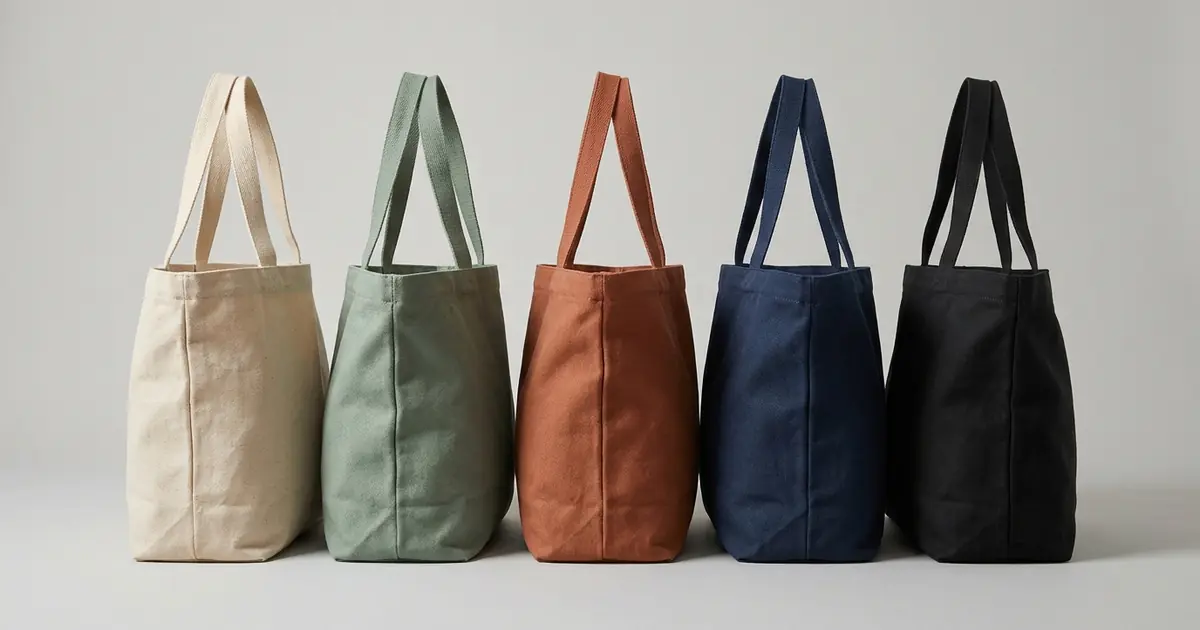
The best AI tool for product color variants depends on how exact the color has to be and on where the pictures go next. Photoroom, the best-known editor here, has a Recolor tool that changes the color of the parts you describe, on plans from $12.99 a month. For a seller who wants several colors of one product from one photo, Photta’s Colorways generator accepts up to 10 colors from a picker or as hex codes and costs about $0.21 to $0.32 a color variant on its monthly plans, which start at $19 a month. Garment sellers who want to give a hex code or a fabric swatch can look at Lovino or Nightjar, Shopify stores can look at Acuarela, and furniture or home catalogues can look at WizStudio. Apiway and Pincel cost less and need more manual work, Stylitics serves large retailers, and Adobe Photoshop does the job inside a general editor. All facts here were read on 15 November 2026, Photta’s prices on 18 November 2026.
The list was made by reading each vendor’s own pages on 15 November 2026. Photta is a sister product of pSeoMatic (same founder). Photoroom is listed first and Photta second; the order of the other eight is not a ranking.
Photoroom vs Photta vs Photoshop for product color variants
| Tool | Best for | What happens to your photo | Starts from | Cost per color variant | Free start |
|---|---|---|---|---|---|
| Photoroom | Recolor inside a photo editor | Recolored copy generated | $12.99 a month | Not stated | Free trial |
| Photta | Up to 10 colors of one product | Product recolored in your photo | $19 a month, or $12 one-time | About $0.21 to $0.32 | 20 credits, no card, watermarked |
| Lovino | Garments, hex code or swatch | Garment recolored, scene kept | $7.99 a month | About $0.18 to $0.32 | 3 credits a day, watermarked |
| Nightjar | Hex code plus written rules | Edited copy, original kept | $25 a month | About $0.13 to $0.17 | 6 credits, no card |
| Acuarela | Shopify color variants | Same model, pose and lighting | $9.99 a month plus usage | About $0.08 to $0.25 | Free plan, 20 images a month |
| WizStudio | Furniture and home catalogues | Only the chosen attribute changes | $49 a month | About $0.35 to $0.49 | 200 credits for 15 days |
| Apiway | Recoloring one masked area | Only the masked area is regenerated | $19.99 a month | About $0.08 to $0.15 | 100 one-time credits |
| Pincel | Lowest listed price | Whole photo edited from a prompt | $19 a month | About $0.03 to $0.04 | 20 credits, no card |
| Stylitics | Enterprise fashion retailers | New on-model picture per color | Custom quote | Not stated | Not stated |
| Adobe Photoshop | Manual, exact control | Existing pixels adjusted by hand | 25,99 € a month (Germany) | No cost per image | Free trial |
Two kinds of AI tools for product color variants
The first kind recolors the photo you upload. You give it one picture of the product in one color, name the new color, and get the same picture back with the product in that color. Photoroom, Photta, Lovino, Nightjar, Acuarela, WizStudio, Apiway and Pincel all describe their tool this way. The recolored area is still produced by an AI model, so the vendors speak of preserving texture, stitching and shadows; none promises that every original pixel survives.
The second kind redraws the product in a new image. Stylitics describes rendering the same garment in each further color on a model, from one reference shot. It needs more checking, because the whole garment is drawn again.
Adobe Photoshop sits outside both kinds. The tools on Adobe’s page shift the hue, saturation and lightness of pixels already in the photo. Nothing is generated, but each photo is handled by a person.
If the job is to show a different cloth or print on the same garment, see our list of AI tools to show fabric on a garment.
The 10 best AI tools for product color variants
1. Photoroom: product color variants inside a general photo editor
Photoroom is a widely used product photo editor with a Recolor tool. You choose the image and a replacement color in a color selector, and describe which parts to recolor, such as the body of a T-shirt but not the logo.
- What happens to your photo: Recolor works directly on your image and generates a recolored copy. The page says stitching, folds and shading are preserved, and that the tool relies on conversational AI, not hex code replacement.
- Price: Pro is $12.99 a month, Max $34.99 and Ultra $99. Recolor uses AI credits and the cost of one run is not stated. It runs on one photo at a time on Pro and on several at once on Max and Ultra.
- Free start: A free trial on Pro and Max. The pricing page does not describe a free plan.
- Not for: Sellers who must enter an exact hex value; its pages do not mention hex input for Recolor.
2. Photta: product color variants in up to 10 colors from one photo
Colorways is the tool for this job in Photta, an AI product photography studio. You upload one clear photo of the product, and the page says the AI detects the product and its colorable areas. You choose up to 10 colors with a color picker or as exact hex codes, and download one image per color. The page lists clothing, shoes, bags, accessories and home textiles as product types that work well, and says stripes, plaids and prints keep their detail. See Photta’s Colorways generator for product color variations.
- What happens to your photo: The product is recolored in the photo you upload. The page says texture, stitching, material grain and shadows are preserved; it does not say the original pixels are kept, so compare each result with the real product.
- Price: About $0.21 to $0.32 a color variant on the monthly plans: Starter $19 or $29 a month, Seller $49 or $89, Brand $119, $219 or $369. Without a plan, one-time packs of 50 credits for $12 or 100 for $20 do not expire. Failed generations are refunded.
- Free start: Four color variants free with no card. Images made before paying carry a watermark.
- Not for: More than 10 colors of a product in one go. The page does not describe color input from a swatch photo or a Pantone code, publishing to a Shopify variant, or a Colorways endpoint in the API.
3. Lovino: product color variants for garments from a hex code or a swatch
Lovino’s clothing colorway generator takes one flat-lay or on-model photo of a garment in any one color and returns a matching image for each colorway, with the color given as a hex code or an uploaded swatch.
- What happens to your photo: The page says the AI recolors the garment, not the scene, and that print, embroidery and fabric texture are preserved.
- Price: A colorway image costs 2 credits. Plans are $7.99 a month (50 credits), $19.99 (200) and $44.99 (500), about $0.18 to $0.32 a color variant.
- Free start: A free plan with 3 credits a day and no card. Free images are watermarked.
- Not for: Products other than clothing. The API is listed as a private beta on the top plan.
4. Nightjar: product color variants from a hex code and a written instruction
Nightjar is an AI product photography service with a Recolor shortcut. You add the product image, pick a preset swatch or enter a hex value, and write which surface should change and what must stay fixed, such as the zip or the logo.
- What happens to your photo: The edit is saved as a new image and the original is kept. Nightjar says the workflow is designed to help preserve shadows, highlights, weave and folds, and that all-over prints need the most direction.
- Price: One edit costs 1 credit at 1K or 2K. Plans are $25 a month (150 credits), $50 (400) and $100 (800), about $0.13 to $0.17 a color variant.
- Free start: 6 one-time credits with no card. A watermark is not mentioned.
- Not for: Recoloring many photos in one run; its pages do not describe a batch recolor.
5. Acuarela: product color variants published to Shopify variants
Acuarela is a Shopify app, launched on 24 July 2026 according to its App Store listing. From one on-model photo it makes the garment in each other color the store sells. You match each color by name, by hex code or from a flat photo of the fabric.
- What happens to your photo: The listing says the same model, pose, lighting and fabric are kept. You approve each result, and the app publishes it to the matching color variant with alt text.
- Price: Starter is $9.99 a month for 40 images, Studio $29 for 150, and Brand $79 with a fair-use limit of 1,000 images, about $0.08 to $0.25 a color variant.
- Free start: A free plan with 20 images a month, publishing to one product.
- Not for: Stores outside Shopify, or products other than garments.
6. WizStudio: product color variants plus fabric and finish for home catalogues
WizStudio is WizCommerce’s AI photo tool for manufacturers, wholesalers and retailers. In its Variant Builder you upload one product photo and apply a color, fabric, material or pattern swatch, or enter an exact hex code.
- What happens to your photo: The page says the tool changes only the attribute you choose, the geometry stays fixed, and weave, grain, stitching and lighting carry over. Outputs are white-background images.
- Price: A variant costs 4 credits at 1K or 2K. Plans run from $49 a month (400 credits) to $1,099 (12,500), about $0.35 to $0.49 a color variant. The pricing page says credits are charged on generation; the product page says on download.
- Free start: 200 free credits for 15 days, with no card.
- Not for: A small shop that needs a few recolors a month. Its pages do not state a batch limit or describe an API.
7. Apiway: product color variants by masking the product yourself
Apiway is a general AI workspace, and its how-to guide describes color variants with a tool called Edit with Paint. You upload a flat-lay, packshot or on-model photo, paint over the garment with a brush, and write the target color as a name or a hex code.
- What happens to your photo: The guide says only the masked region is regenerated. Each color is a separate run with a new mask.
- Price: A credit is $0.01. The guide puts eight colorways at roughly 60 to 120 credits, about $0.08 to $0.15 a color variant. The Starter plan is $19.99 a month for 2,000 credits.
- Free start: 100 one-time credits. A watermark is not mentioned.
- Not for: Large catalogues, since every color means a new mask and run. A batch mode or API for this tool is not described.
8. Pincel: product color variants from a text prompt at the lowest listed price
Pincel is a browser photo editor that works from a written instruction. You upload the photo and type what to change.
- What happens to your photo: The whole photo is edited from the prompt. The guide advises naming the object and the new color, and warns that the AI can occasionally create odd shapes or details.
- Price: One generation costs 2 credits. Plans are $19 a month (1,000 credits), $79 (5,000) and $199 (15,000), about $0.03 to $0.04 a generation.
- Free start: 20 credits with no card, enough for 10 generations.
- Not for: Exact brand colors. Its pages describe colors in words and do not mention hex input, batches or an API for this job.
9. Stylitics: on-model product color variants for enterprise retailers
Stylitics sells AI imagery to large fashion retailers. From a single on-model or flat-lay reference shot it produces an on-model image for every other color, with colors mapped from hex codes, Pantone references or color names in the retailer’s product data.
- What happens to your photo: A new picture is rendered for each color. Stylitics says every output passes automated checks and human review before delivery.
- Price: Not stated. The pricing page says pricing is customised to catalogue size and asks visitors to book a demo.
- Free start: Not stated.
- Not for: A small shop that wants to sign up and recolor a photo the same day. Its pages show no self-serve plan.
10. Adobe Photoshop: product color variants by manual pixel adjustment
Photoshop is the manual route. Adobe’s page on changing color lists Adjust colors, which gives sliders for hue, saturation and lightness, plus Hue/Saturation adjustment layers, Replace Color and Color Range.
- What happens to your photo: The existing pixels are adjusted. The methods on the page do not generate anything.
- Price: Adobe shows prices by country. Its plans page showed 25,99 € a month including VAT, on an annual plan billed monthly, to a visitor in Germany. There is no charge per image.
- Free start: A free trial is offered; its length is not stated.
- Not for: Sellers without editing skills or with hundreds of colors to make, since each photo is adjusted by hand.
How to check product color variants before you publish
Check each recolored picture against the real item or an approved swatch.
| Check | What to look for |
|---|---|
| Color against the sample | Compare with the real product or swatch; a hex code steers the AI but does not guarantee a match |
| Parts that should not change | Zips, buttons, labels, logos, soles and trims keep their own color |
| Prints and patterns | Stripes, checks and prints sit where they did |
| Material | Weave, grain and sheen still look like the same cloth or leather |
| Shadows and shape | Folds follow the new color; outline and background are unchanged |
| Every view | Check the front, the back and the detail shots separately |
| The offer itself | Publish a color only if you sell it, and never a watermarked image |
Which AI tool for product color variants fits your shop
- You need up to 10 colors of one product from one photo, with hex codes: use Photta.
- You sell clothing and want to give a hex code or a fabric swatch: use Lovino or Nightjar.
- You run a Shopify store and want each picture attached to its color variant: use Acuarela.
- You sell furniture or home goods and need fabric and finish versions too: use WizStudio.
- You want the lowest price and can mask or prompt each photo yourself: use Apiway or Pincel.
- You are a large retailer and want on-model pictures for every color: use Stylitics.
- You already work in a general editor: use Photoroom, or Adobe Photoshop for manual control.
- You need the same treatment across a whole catalogue: see our list of AI tools for bulk product photos.
FAQ: AI tools for product color variants
What are the best AI tools to recolor product photos and create color variants?
It depends on the product and the shop. Photta’s Colorways makes up to 10 colors from one photo with hex codes, Lovino and Nightjar suit garments, Acuarela publishes to Shopify variants, and WizStudio suits furniture and home catalogues.
How much do AI product color variants cost per image?
About $0.03 to $0.49 on the plans listed on 15 November 2026. Pincel works out at about $0.03 to $0.04, Nightjar at about $0.13 to $0.17, Lovino at about $0.18 to $0.32, Photta at about $0.21 to $0.32 and WizStudio at about $0.35 to $0.49. Stylitics prices by quote.
Will AI change the product itself when it makes product color variants?
It can. The recolored area is produced by an AI model, so stitching, prints or logos may shift, and Pincel’s guide warns of occasional odd shapes. Nightjar’s help page says to check each result against the physical item, and that applies to Photta and every other tool here.
Can I use a hex code for product color variants?
Yes, on most of these tools. Photta, Lovino, Nightjar, Acuarela, WizStudio and Apiway state that they accept a hex code, and Stylitics maps hex codes or Pantone references from product data. Photoroom says its Recolor does not work by hex replacement, and Pincel describes colors in words.
Are free AI tools for product color variants watermarked?
Some are. Photta’s 20 free credits and Lovino’s free daily credits both produce watermarked images. Nightjar, Apiway and Pincel list free credits, and their pages do not say whether those images carry a watermark.
Sources for this comparison of product color variant tools
- Photta: the Colorways tool page, the pricing page and llms.txt, read on 15 November 2026. Photta’s pricing page and llms.txt were read again on 18 November 2026 for its current prices.
- Lovino, Nightjar, WizStudio, Apiway, Pincel and Photoroom: each vendor’s own feature, help and pricing pages, read on 15 November 2026.
- Acuarela: its Shopify App Store listing. Stylitics: its colorway and pricing pages. Adobe: its Photoshop change-color page and plans page. All read on 15 November 2026.
- The cost per color variant is our own arithmetic from listed plan prices and the credits each vendor states for one image.
- Nothing was tested hands-on; every statement about a tool comes from the vendor’s own pages.