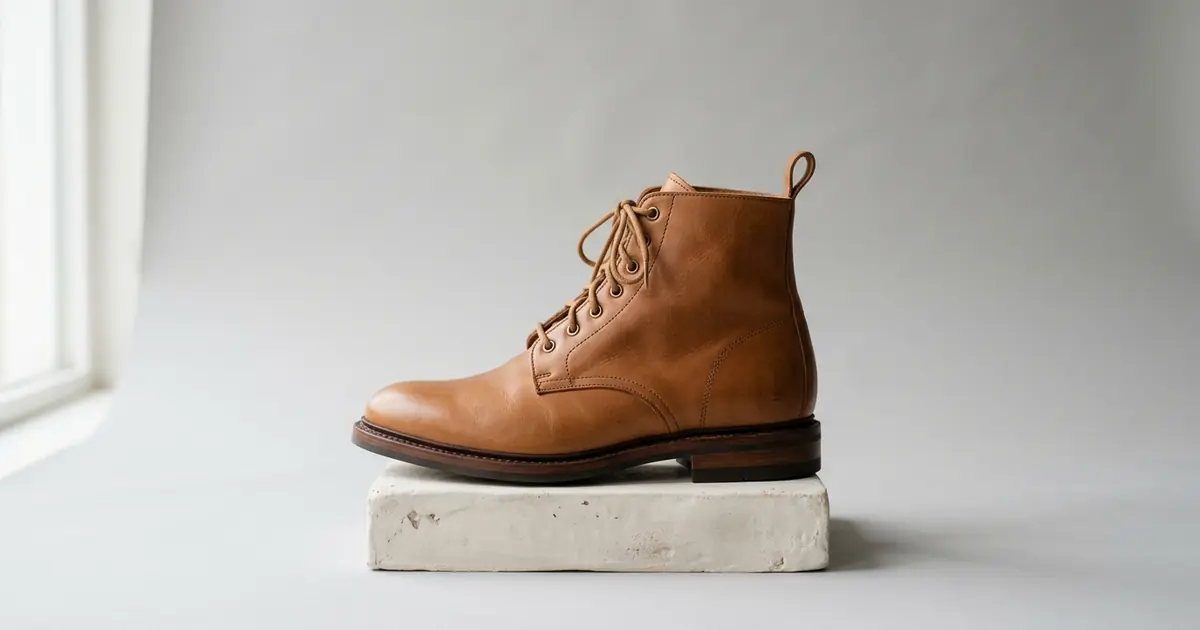
The best AI product photography tool for shoes depends on which shot the listing is missing: the pair on a foot, on a plain studio background, in a scene or in close-up. Photoroom, the best-known editor, stages shoes in a scene and puts footwear on a virtual model, from $12.99 a month. Photta makes studio, lifestyle and flat lay shoe photos and on-foot model shots from one picture of the shoe, from $19 a month. Pebblely builds a scene around any product photo, Flair has a footwear page with close-up and on-model examples, and Claid has a mode that locks the shoe in place. Caspa AI, ProductAI, Pixelcut, Picjam, Nightjar, Modelia and Uwear complete the list. Facts were read on each vendor’s own pages on 20 November 2026.
Photoroom is listed first and Photta second; the order of the others is not a ranking. Nothing was tested hands-on.
Photoroom vs Photta vs Pebblely vs Flair vs Claid for shoe product photos
| Tool | Best for | Shoe shots its pages show | Starts from | Free start |
|---|---|---|---|---|
| Photoroom | Editing and staging a whole shoe range | Staged scene, on a virtual model, background removed | $12.99 a month, or $89.99 a year | Free trial on Pro and Max |
| Photta | On-foot and studio shots from one picture | On foot, studio, lifestyle, flat lay | $19 a month; packs from $12 | Free start on sign-up, no card; watermarked |
| Pebblely | Themed scenes around a product photo | Scene backgrounds; no shoe page | US$9 a month | No free trial |
| Flair | Campaign-style footwear images | Close-up, lifestyle, on model, collection | $10 a month, or $8 billed yearly | Free plan, 5 generated images |
| Claid | Clean studio shots with the shoe locked in place | Studio, flat lay, lifestyle on a model | $15 a month, or $9 billed yearly | 50 credits |
| Caspa AI | A full shoe listing set, including infographics | White main image, on foot, street scene, flat lay | $59 a month, or $39 billed yearly | No free plan; 30-day money-back guarantee |
| ProductAI | Scenes and packshots with a fidelity check | Scenes, white packshots; footwear in its showcase | €16 a month | 20 free credits, no card |
| Pixelcut | Low-cost studio and lifestyle scenes | Studio scene, lifestyle scene, on model | $10 a month, or $8 billed yearly | Free plan with limited tools |
| Picjam | Filling gaps across a large catalogue | Packshot, lifestyle; footwear named | $19.99 a month, or $16 billed yearly | Free to start, no card |
| Nightjar | Repeating one look across every colourway | Product-only angles, macro, on foot | $25 a month | 6 free credits, no card |
| Modelia | Shoes worn by a model you describe | On a model, in editorial or lifestyle settings | $30 a month | 50 welcome credits, watermarked |
| Uwear | On-foot sets with a reviewer check, pay as you go | On foot: full body and lower-body views | $7 minimum purchase | No free tier; a free preview of three products |
Shoe product photos come in two kinds: the shoe kept as shot, or the shoe redrawn on a foot
A shoe listing usually needs the shoe alone on a plain background, the pair on a foot, the pair in a scene and a close-up. What separates the tools is what happens to the shoe while they make each one.
Some tools keep the shoe as photographed and build the picture around it. Caspa AI says only the background, model and setting change. Claid’s Precise mode locks the position and angle of the shoe while the background changes.
An on-foot shot is different. The shoe has to sit on a foot at an angle the camera never saw, so the tool draws it again from your photo. Claid’s shoe guide warns that when an angle is unclear in the upload, the AI can imagine details. Uwear’s footwear page shows a back view where its own reviewer marked the heel as different from the product.
So supply more than one view. Nightjar and Uwear both ask for side, heel and sole photos. Wider lists that are not about footwear are in our comparison of AI image generators for e-commerce.
The 12 best AI product photography tools for shoes
1. Photoroom: shoe product photos staged, put on a virtual model and edited in batches
Photoroom is a photo editor for sellers whose fashion section covers clothing, accessories and shoes. Its Product Staging tool names shoes among the products it suits.
- Shoe shots: A staged scene where the item is held, worn or set on a table; footwear on a virtual model with a chosen pose and background; the shoe on a removed or replaced background.
- How the shoe is handled: The background remover works on your own photo. Staging and virtual models generate a new image.
- Price: Pro $12.99 a month or $89.99 a year (1,000 exports a month), Max $34.99 or $250 a year (3,000), Ultra $99 or $990 a year (10,000).
- Free start: A free trial on Pro and Max; its length is not stated on the pricing page.
- Not for: Shops that need 4K images on a low plan; the pricing page lists 4K from Ultra.
2. Photta: on-foot and studio shoe photos from one picture of the shoe
Photta is an AI product photography studio with two shoe pages. On the on-foot shoe photo page you upload a clear side view of a sneaker, boot, heel or sandal, pick an urban street, clean studio or indoor setting, and get two photos of a model wearing the pair.
- Shoe shots: On foot in three settings; studio shots, which the page recommends for marketplace listings; lifestyle and flat lay shots on concrete, wood or a studio backdrop. A close-up style is not named on the two pages.
- How the shoe is handled: The AI corrects lighting and removes the background of a phone photo; for on-foot shots it generates the model, pose, outfit and setting. Whether the shoe is redrawn is not stated.
- Price: Starter $19 or $29 a month, Seller $49 or $89, Brand $119, $219 or $369. A product studio photo works out at about $0.16 to $0.32 at 2K, by our arithmetic. One-time packs cost $12 or $20. 4K is on Seller and Brand.
- Free start: A free start on sign-up, no card. Free photos carry a watermark until the first purchase.
- Not for: Sellers who need 4K on the lowest plan, or more than two on-foot photos from a single run.
3. Pebblely: scene backgrounds for shoe photos, without a shoe-specific page
Pebblely creates a background around an uploaded product photo and adds shadows and reflections. Its site has no page for shoes: the listed categories run from skincare and candles to jewelry and watches, although a shoe retailer’s logo appears among the customers on its homepage.
- Shoe shots: Scenes from more than 40 themes or a custom prompt, in five sizes. Shoe examples were not found in the pages read.
- How the shoe is handled: Not stated for shoes. Text read from the product photo is used during generation so labels stay correct.
- Price: Lite US$9 a month for 30 images, Basic US$19 for 200 and Pro US$39 for 500: about $0.08 to $0.30 an image by our arithmetic. High-resolution images count double.
- Free start: None. The pricing page says it does not offer free trials.
- Not for: Sellers who want to try a tool before paying, or who need on-foot shots described by the vendor.
4. Flair: footwear product photos in close-up, lifestyle and on-model settings
Flair has an AI Footwear page for shoes and boots, with four examples: a close-up of material details, a lifestyle setting, a boot on a model and a collection shown together.
- Shoe shots: Product detail close-up, lifestyle scene, on model and collection display.
- How the shoe is handled: The page says leather, suede and canvas textures are rendered with lighting and shadows; how closely a result matches your shoe is not stated.
- Price: Pro $10 a month ($8 billed yearly), Pro+ $35 ($26) with 80 generated images, Scale $55 ($38) with 150. Pro’s image allowance is not shown.
- Free start: A free plan with 5 generated images.
- Not for: Shops that need a company commercial licence on the cheapest plan; the pricing page lists it from Pro+.
5. Claid: shoe product photos with the shoe locked in place, or worn on a model
Claid publishes a guide to shoe photos in its AI Photoshoot tool. Precise mode keeps the position and angle of the shoe and changes the background; Creative mode shows the shoes on a model, in motion or in a flat lay.
- Shoe shots: Studio shots on neutral backdrops, top-down flat lays with props, and lifestyle photos of worn shoes, one to four images per prompt.
- How the shoe is handled: Kept in Precise mode, according to the guide. In Creative mode, unclear angles in the upload can lead the AI to add details.
- Price: Essentials $15 a month for 500 credits and Pro $49 for 2,000 ($9 and $35 billed yearly). A generation uses 4 credits: about $0.10 to $0.12 on monthly billing, by our arithmetic.
- Free start: 50 credits, counted as up to 12 AI Photoshoot generations.
- Not for: Sellers who want to drop a shoe into their own background photo; the guide says that route gives less realistic results for shoes.
6. Caspa AI: shoe product photos for a whole listing, from white main image to on-foot shot
Caspa AI’s shoe photography page lists six outputs from one photo of a sneaker, boot or heel, among them infographics and a short video.
- Shoe shots: One shoe on pure white with the toe pointing left, the pair on an AI model cropped at the ankle or full length, street and outdoor scenes, and flat lays with an outfit.
- How the shoe is handled: Kept. The page says the shoe is placed in a new scene with logos, stitching and printed text unchanged.
- Price: Starter $59 a month or $39 billed yearly (500 credits, images only), Growth $99 or $66, Scale $249 or $166. The number of credits an image uses is not stated.
- Free start: None. Its FAQ says there is no free plan and a card is needed first; every plan has a 30-day money-back guarantee.
- Not for: Close-ups of soles, insoles and materials; the page tells sellers to shoot those themselves.
7. ProductAI: shoe photos in scenes and on white, checked against the upload
ProductAI builds scenes and white packshots around a product photo. Footwear is a category in its homepage showcase, and its product photography page lists shoes among the products that work best.
- Shoe shots: Lifestyle scenes with matched light and shadow, and packshots on pure white or grey. On-foot shots are not described.
- How the shoe is handled: Kept, according to the vendor. On paid plans each photo is checked against the upload, and a changed logo, shape or colour is flagged.
- Price: Basic €16 a month for about 40 photos, Standard €29 for about 85, Pro €49 for about 175 and Max €99 for about 375: about €0.26 to €0.40 a photo by our arithmetic.
- Free start: 20 free credits, no card.
- Not for: Glossy or see-through footwear in one attempt; the page says transparent and highly reflective products are harder.
8. Pixelcut: studio and lifestyle shoe photos from one upload
Pixelcut’s Product Studio turns one product photo into studio or lifestyle scenes, and its page uses a sneaker as its example of a product that stays true to the upload.
- Shoe shots: A Studio scene on white, soft grey, beige or a custom colour; a Lifestyle scene from a preset or a prompt; an On Model format for products that are worn or held.
- How the shoe is handled: Kept, according to the vendor: shape, label text and colours are treated as the fixed part of the image.
- Price: Pro $10 a month or $8 billed yearly (600 AI credits a month), Business $30 or $24 (3,600).
- Free start: A free plan with limited background removal and upscaling.
- Not for: Commercial use on the free plan; its FAQ ties the commercial licence to paid plans.
9. Picjam: packshot and lifestyle shoe photos for catalogues with gaps
Picjam scores a product listing, names the shots it lacks and generates them. Its pages name footwear among its categories and give sneakers on a street as a lifestyle example.
- Shoe shots: Packshots on white or a brand background, and lifestyle scenes built from a brand preset. On-model shots are described for apparel.
- How the shoe is handled: For packshots the product is isolated and its edges, colour and shadow corrected.
- Price: Starter $19.99 a month or $16 billed yearly, Studio Basic $99 or $79, Scale $899 a month billed yearly.
- Free start: The pricing page says free to start with no card, and ten listings can be scored free.
- Not for: A handful of campaign images; its homepage says a pay-per-image generator can be cheaper for that.
10. Nightjar: shoe product photos in fixed angles, repeated across colourways
Nightjar lists footwear among the products it supports and has a guide to photographing shoes. A saved Recipe carries the same style, framing and background from one shoe to the next.
- Shoe shots: Product-only views with a set framing, including three-quarter, overhead and macro, and on-foot shots where a close camera distance frames the feet.
- How the shoe is handled: Generated from your photos. A built-in review retries obvious failures, such as a replaced logo, at no extra cost.
- Price: Studio $25 a month for 150 credits, Studio+ $50 for 400, Ultra from $100 for 800. The vendor states about $0.17 an image on Studio and $0.125 on the others.
- Free start: 6 credits with no card, enough for six photos at 2K.
- Not for: Sellers with a single photo per shoe who want every angle; its guide says to add a real view of the sole, heel or side first.
11. Modelia: on-model shoe photos from a product image and a prompt
Modelia’s Footwear on Model tool makes images of a model wearing shoes, sneakers, boots or sandals from one product image. You describe the footwear and outfit, choose a model, then set the background and pose.
- Shoe shots: On a model, in e-commerce, lifestyle or editorial settings.
- How the shoe is handled: Generated on the model from your image; how closely details are kept is not stated.
- Price: Creator $30 a month for 150 credits, with a standard image at 3 credits: about $0.60 an image by our arithmetic. Atelier is $109 a month and Brand $385.
- Free start: 50 welcome credits, then 20 a month, at up to 2K with a watermark.
- Not for: Publishing from the free plan, which the pricing page describes as for trying.
12. Uwear: on-foot shoe photos with a reviewer check, paid per photo
Uwear has a footwear page for on-foot photos of shoes and boots. You supply upper, side, heel and sole photos plus an on-foot reference.
- Shoe shots: On foot, on a white studio background: a full-body front view and lower-body front, side and back views.
- How the shoe is handled: Generated, then compared with your photos by an AI reviewer with a separate footwear check. On the vendor’s own boots the back view passed with the heel marked as different.
- Price: $0.10 a credit with no subscription. A photo is 3 credits, $0.30, on the default model at 1K; the minimum purchase is $7.
- Free start: No free tier. Paste a store link and the vendor emails on-model photos of three of your products within 24 hours.
- Not for: Sellers with only one angle of each shoe, or who want a monthly plan.
Which AI tool for shoe product photos fits your shop
- You need a whole range cleaned up, staged and exported to one standard: use Photoroom.
- You need on-foot shots and studio shots from one picture of each shoe: use Photta or Caspa AI.
- You need a plain-background main image with the shoe left as shot: use Claid in Precise mode, Caspa AI or Pixelcut.
- You need themed scenes at the lowest listed price per image: use Pebblely or Pixelcut.
- You need campaign images with close-ups and models: use Flair or Modelia.
- You need the same look repeated across every colourway: use Nightjar.
- You need on-foot sets checked against your photos, with no subscription: use Uwear.
- You need to find and fill the gaps in a large catalogue: use Picjam or ProductAI.
FAQ: AI product photography tools for shoes
What are the best AI product photography tools for shoes?
It depends on the shot. Photoroom suits staging and batch editing of a whole range, Photta suits on-foot and studio shots from one picture of the shoe, Claid suits clean studio shots with the shoe locked in place, and Caspa AI covers a full listing set from white main image to on-foot shot.
Can AI make on-foot shoe photos from one product picture?
Yes, several vendors describe it. Photta asks for a clear side view and returns two photos of a model wearing the pair, Modelia works from one product image and a written description, and Caspa AI crops an AI model at the ankle or shows the full outfit. Uwear and Nightjar ask for more than one view of the shoe before they generate.
Will AI change the logo or stitching in shoe product photos?
It can, mostly in on-foot shots and new angles. Caspa AI, Pixelcut and ProductAI say the uploaded product is kept as it is, and Claid says the same of its Precise mode. Uwear shows a back view where its reviewer marked the heel as different from the real boot.
How much do AI shoe product photos cost?
On the listed plans, a photo costs from about $0.08 at Pebblely’s largest plan to about $0.60 at Modelia’s Creator plan. Nightjar states $0.125 to $0.17 an image, Uwear $0.30 a photo with no subscription, and Photta works out at about $0.16 to $0.32 for a product studio photo on its monthly plans.
Can AI shoe photos be the main image on a marketplace?
Check the marketplace’s own rules first. Caspa AI’s shoe page says Amazon wants one shoe on pure white with no model in the main image, so on-foot shots belong in the other slots. Pixelcut’s FAQ says the main listing image must still be a real photo.
Sources for this comparison of shoe product photo tools
- Every page below was read on 20 November 2026.
- Photoroom: fashion, virtual model, product staging and pricing pages.
- Photta: shoe product photography page, on-foot shoe page, pricing page and llms.txt.
- Pebblely: home, pricing, how-to, FAQ and gallery pages. Flair: AI Footwear and pricing pages. Claid: shoe photo guide, fashion and pricing pages.
- Caspa AI, ProductAI, Pixelcut, Picjam, Nightjar, Modelia and Uwear: shoe, footwear or product photography pages and pricing pages on each vendor’s own site.
- Cost per photo is our own arithmetic from listed plan prices, unless the vendor states it. Prices are in the currency each page showed.
- Nothing was tested hands-on; “not stated” means the pages read did not say.