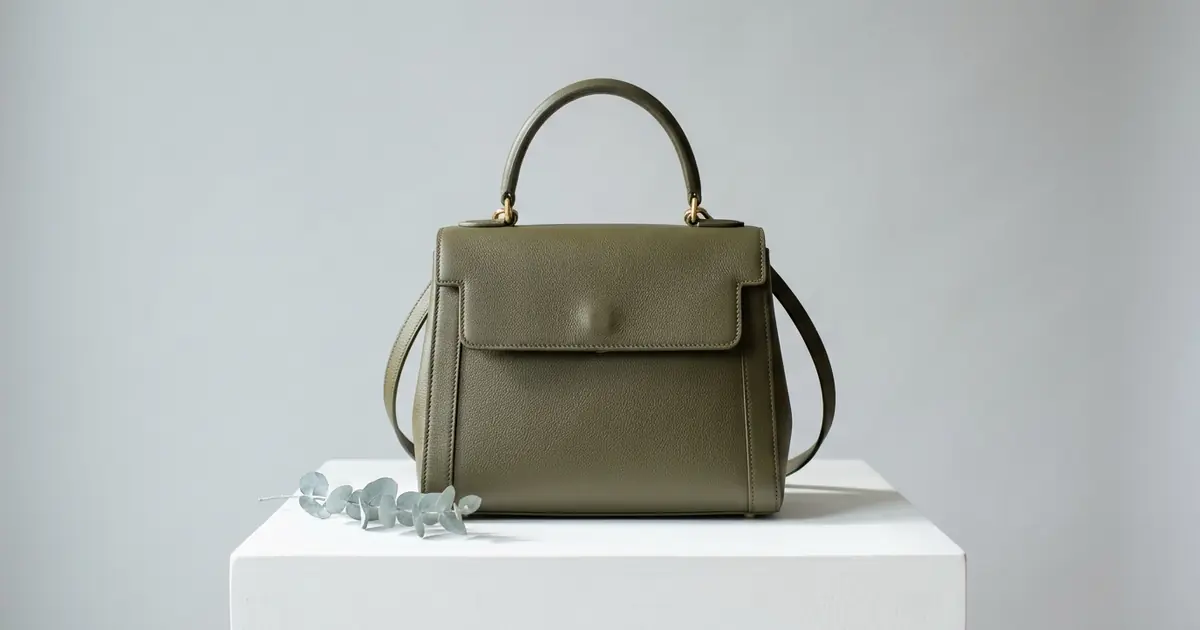
The best AI product photography tool for handbags depends on which shot the listing is missing: the bag carried by a model, on a plain studio background, in a scene or in close-up. Photoroom, the best-known editor, places a bag in a scene where it is held, worn or set on a table, from $12.99 a month. Photta makes studio, lifestyle and flat lay bag photos from one picture of the bag, from $19 a month. Flair has a handbag page with close-up, styled and carried examples, and Adobe Firefly has a general product shot generator driven by a text prompt. Caspa AI, Pixelcut, Nightjar, Rawshot, WearView, BudgetPixel and AI-Flow complete the list. Facts were read on each vendor’s own pages on 20 November 2026; for other products, see our list of AI image generators for e-commerce.
Photoroom is listed first and Photta second; the order of the others is not a ranking. Nothing was tested hands-on.
Photoroom vs Photta vs Flair vs Adobe Firefly for handbag product photos
| Tool | Best for | Handbag shots its pages show | Starts from | Free start |
|---|---|---|---|---|
| Photoroom | Staging a bag in a scene and editing a whole range | Held, worn or on a table; on a virtual model; bag videos | $12.99 a month | Free trial on Pro and Max |
| Photta | Studio, lifestyle and flat lay shots from one photo | Studio, lifestyle, flat lay | $19 a month; packs from $12 | Free start on sign-up, no card |
| Flair | Close-up, styled and carried examples in one editor | Product detail, styled setting, model shot | $10 a month | Free plan, 5 images |
| Adobe Firefly | Prompt-driven product shots at chosen angles | White background, lifestyle, overhead (general page) | US$9.99 a month | Free plan, limited daily generations |
| Caspa AI | A full listing set with the bag kept as photographed | White main image, on-model, street scenes, flat lay, infographic | $59 a month | Not stated; 30-day money-back guarantee |
| Pixelcut | A bag format with studio and lifestyle scenes | Studio packshot, held, on the shoulder, on a chair, flat | $10 a month | Free plan |
| Nightjar | A planned shot list from several photos of one bag | Front, side, overhead, macro, on-model carry | $25 a month | 6 images, no card |
| Rawshot | On-model handbag shots with fixed frames and poses | Full body, 3/4 length, upper body, four camera views | $9 a month | 7-day trial, 10 images |
| WearView | Bags shown with a complete outfit on a model | On-model outfit photos | $29 a month | Not stated |
| BudgetPixel | Low-cost restyling of a bag photo by prompt | Studio and lifestyle scenes | $10 a month | 300 credits a month |
| AI-Flow | Four mixed shots per run, bought in small packs | Product shot, lifestyle scene, held or worn by a model | $4.99 | Free credits, no card |
Handbag product photos: shots made from your photo and shots the tool has to guess
A handbag listing needs two kinds of image. Product-only views show the silhouette, the depth, the hardware and the inside. Carried views show scale and how the strap sits on a person.
An AI tool can only work from what your photo shows. A front photo gives it the front. The back pocket, the base, the lining and the side panel are not in that photo, so a tool asked for them has to make them up. Nightjar’s handbag guide says these details should come from real photos, and Caspa AI’s page tells sellers to shoot the inside, the hardware and the stitching themselves.
Vendors also differ on what happens to the bag in the picture. Caspa AI says the product is kept as it is and only the setting, model and light change. Other tools generate a new image from your photo as a reference. Either way, compare logo, hardware and stitching with the real bag before publishing.
The 11 best AI product photography tools for handbags
1. Photoroom: handbag photos staged in a scene, on a model or as a short video
Photoroom is an AI photo editor for sellers. Its Product Staging page names bags among the accessories it suits, and a separate page offers video templates for handbags, totes and backpacks.
- Handbag shots its pages show: Product Staging places the item in a lifestyle scene, “held, worn, or placed on a table”, and returns two images per run. Virtual Model shows accessories on AI models at 2K or 4K. The bag video templates turn up to four photos of one bag into a short clip.
- What happens to the bag: Not stated for staged stills. For video, the page says Product Animator is designed to preserve silhouette, straps, hardware and branding.
- Price: Pro $12.99 a month or $89.99 a year (1,000 exports a month), Max $34.99 a month or $250 a year (3,000), Ultra $99 a month or $990 a year (10,000).
- Free start: A free trial on Pro and Max; its length is not stated on the pricing page.
- Not for: Sellers who want bag videos or 4K stills on the lowest plan: the bag video templates are listed for Max and Ultra, and 4K images for Ultra.
2. Photta: studio, lifestyle and flat lay handbag photos from one photo
Photta is an AI product photography studio. Its bag page says one uploaded photo of a handbag, backpack, tote or clutch gives studio, lifestyle and flat lay shots. Its bag studio page describes a neutral studio gradient or a reference background of your own, and two studio photos per run at 2K.
- Handbag shots its pages show: Studio, lifestyle and flat lay on the bag page; studio shots for handbags, clutches, totes, backpacks, crossbody bags and luggage on the bag studio page. Its llms.txt also lists general tools for a pure white background and macro close-ups. A bag carried by a model is not described on the two bag pages.
- What happens to the bag: The bag studio page says the AI preserves the silhouette and structural details such as stitching, hardware, zippers and handles; that is the vendor’s claim.
- Price: Starter $19 or $29 a month, Seller $49 or $89, Brand $119, $219 or $369. A product photo works out at about $0.16 to $0.32, by our arithmetic from its llms.txt. 4K is on Seller and Brand. Without a plan, one-time packs cost $12 or $20 and do not expire.
- Free start: A free start on sign-up, no card. Free photos carry a watermark until the first purchase.
- Not for: Sellers whose missing shot is the bag on a shoulder: its two bag pages describe product shots without a person.
3. Flair: handbag photos in close-up, in a styled setting or carried by a model
Flair is an AI design tool for product photos. Its AI Handbags page says it generates images of bags, purses and accessories “in various settings or on models”.
- Handbag shots its pages show: Four example types: a product detail close-up of leather and hardware, a styled setting, a model shot with the bag carried in a street scene, and a bag worn on a model.
- What happens to the bag: The page says its AI renders leather grain, fabric texture and hardware finishes accurately; whether the uploaded bag is kept or redrawn is not stated.
- Price: Pro $10 a month, Pro+ $35 (80 generated images) and Scale $55 (150 images); with the annual discount, $8, $26 and $38 a month. The number of images on Pro is not shown.
- Free start: A free plan with 5 generated images and 1 custom model.
- Not for: Businesses that need a company commercial licence on the cheapest paid plan: the pricing page lists it from Pro+.
4. Adobe Firefly: handbag product photos from an upload and a written prompt
Adobe Firefly has a Product Shot Generator page: you upload a product image and describe the angle, light and background in words. The page names no product category, so this is a general tool that covers a bag as it covers any product. Adobe’s business blog describes Tapestry training Firefly custom models on images of Coach handbags, for design work.
- Handbag shots its pages show: No bag examples on the product shot page. The page describes straight-on, angled, overhead and flat lay views, a clean white background for e-commerce and a lifestyle version, downloaded as PNG.
- What happens to the bag: Not stated.
- Price: Firefly Standard US$9.99 a month (2,000 generative credits), Pro US$19.99 (4,000), Pro Plus US$49.99 (10,000) and Premium US$199.99 (50,000).
- Free start: A free plan with limited daily generations.
- Not for: Sellers who do not want to write prompts: the page describes a prompt for every angle, light and background.
5. Caspa AI: a full set of handbag photos with the bag kept as photographed
Caspa AI has a handbag photography page for purses, totes and backpacks. From one product photo it lists six outputs.
- Handbag shots its pages show: A white-background main image with the bag upright; on-model shots carried by the handle, on the shoulder or crossbody; street and travel scenes; styled flat lays; size and feature infographics; and a short product video on the Growth and Scale plans.
- What happens to the bag: The page says Caspa “keeps the product as it is”, including logos, embossing and printed text, and that only the setting, model and light change.
- Price: Starter $59 a month (500 credits), Growth $99 (1,000) and Scale $249 (2,500); billed yearly, $39, $66 and $166 a month. Credits per image are not stated.
- Free start: Not stated. Every plan has a 30-day money-back guarantee.
- Not for: Sellers who expect AI to supply the inside, the hardware close-up or the stitching: the page tells them to shoot these themselves.
6. Pixelcut: handbag photos from a dedicated Bag Scene format
Pixelcut is a photo editor with a Product Studio. Its bag photography page describes a Bag Scene format for handbags, totes, backpacks, purses, clutches and luggage, working from one uploaded photo.
- Handbag shots its pages show: A studio hero on a clean backdrop (white, soft gray, beige or a custom colour), and lifestyle shots with the bag held in hand, on a model’s shoulder, resting on a chair or laid flat. Up to four variations per run, up to 4K.
- What happens to the bag: The page says Product Studio works from your real photo and keeps shape, colour, hardware and logo true.
- Price: Pro $10 a month or $8 billed yearly (600 AI credits a month), Business $30 or $24 (3,600).
- Free start: A free plan with limited background removal and upscaling, and export without a watermark.
- Not for: Sellers who want to publish from the free plan: the bag page says the commercial-use licence comes with paid plans.
7. Nightjar: handbag photos planned as a shot list from several source photos
Nightjar is an AI product photography tool that lists bags among the products it supports. Its handbag guide treats a listing as six to eight planned views, each generated from photos that show that part of the bag.
- Handbag shots its pages show: Product-only views set by a Framing control (eye-level, three-quarter, overhead, macro) on a flat colour or a saved backdrop, and on-model carry shots built from a reusable fashion model, a pose and a camera distance.
- What happens to the bag: Generated from your references. The guide says a pocket or closure should never be invented from a prompt.
- Price: Studio $25 a month (150 credits), Studio+ $50 (400) and Ultra $100 (800). The vendor states about $0.17 an image on Studio and $0.125 on the others; a 4K image costs double.
- Free start: 6 images with no card.
- Not for: Sellers with a single front photo: the guide says one packshot cannot prove the back pocket, the side panel or the lining.
8. Rawshot: on-model handbag photos with fixed frames, poses and light
Rawshot is an AI fashion photography generator with a handbag page. You start from a photo, flat lay, mockup or sketch of the bag and choose the model, outfit, pose, camera view, frame and light.
- Handbag shots its pages show: On-model images in full body, 3/4 length and upper body frames, from front, front 3/4, side and back views, in nine formats at 2K or 4K.
- What happens to the bag: The page says the shoot keeps product fidelity, and that upload quality affects accuracy when a source photo hides construction details.
- Price: $9 a month (16 images), $39 (80), $89 (192) and $179 (400). The vendor states $0.56 down to $0.45 an image.
- Free start: A 7-day trial with 50 credits, enough for 10 images.
- Not for: Sellers who need measured claims or free composition: the page says Rawshot stops short of measured fit, capacity or strap-drop claims, and that arbitrary light positions cannot be set.
9. WearView: handbag photos on an AI model with a complete outfit
WearView is an AI fashion model tool with a catalog page for bags: handbags, tote bags, backpacks and crossbody styles.
- Handbag shots its pages show: Bags styled with a full outfit on a model, from professional to casual looks.
- What happens to the bag: The page says the AI preserves product details such as hardware, zippers, logos and stitching.
- Price: Lite $29 a month or $24 billed yearly (50 credits, about 16 images at 2K by the vendor’s estimate), Pro $49 or $40 (200 credits), Advanced $99 or $82 (500 credits).
- Free start: Not stated. The pricing page lists a 14-day refund on the first plan.
- Not for: Brands that want their own recurring AI model on the lowest plan: the pricing page lists it from Pro.
10. BudgetPixel: handbag photos restyled by prompt at a few cents an image
BudgetPixel is a general AI image and video generator with a bag product image page. You upload a bag photo and describe the scene.
- Handbag shots its pages show: Clean studio scenes, retail-style layouts and lifestyle settings such as a cafe, travel, office or resort.
- What happens to the bag: The page says its AI is tuned to preserve shape, materials, hardware placement and key design details while the presentation changes.
- Price: Basic $10 a month or $100 a year (11,000 credits a month), Premium $22 and Pro $55. The bag page states from 55 credits an image, about $0.05 on Basic.
- Free start: A free plan with 300 credits a month.
- Not for: Sellers who need commercial use on the free or Basic plan: the pricing page lists commercial usage from Premium.
11. AI-Flow: handbag photos in sets of four, bought in small packs
AI-Flow has a fashion product photo page for accessories, shoes, bags and simple apparel. One uploaded image returns four images.
- Handbag shots its pages show: “Bags held or worn by models”, for handbags, backpacks and tote bags in styled scenes, next to e-commerce shots and lifestyle scenes.
- What happens to the bag: The page says the tool aims to preserve the product’s identity, and that complex patterns, fine text and detailed logos may vary and can need regeneration.
- Price: $4.99 for 200 credits, $9.99 for 500 and $29.99 for 1,500. A photoshoot of four images costs 80 credits: about $0.40 to $0.50 an image, by our arithmetic. One-time or recurring is not stated.
- Free start: Free credits with no card; the amount is not stated.
- Not for: Bags with detailed logos or fine printed text, by the vendor’s own caution.
Which AI tool for handbag product photos fits your shop
- You need a white-background main image and the bag kept as photographed: use Caspa AI or Pixelcut.
- You need studio, lifestyle and flat lay shots from one photo: use Photta.
- You need the bag carried by a model: use Rawshot, WearView, Flair or Caspa AI.
- You need a full shot list from several photos of each bag: use Nightjar.
- You need a staged scene plus a short bag video: use Photoroom on Max or Ultra.
- You write your own prompts and want control of angle and light: use Adobe Firefly or BudgetPixel.
- You want to pay a few dollars once to try: use AI-Flow, or a one-time pack from Photta.
FAQ: AI product photography tools for handbags
What are the best AI product photography tools for handbags?
It depends on the shot. Photoroom stages a bag in a scene and makes bag videos, Photta makes studio, lifestyle and flat lay shots from one photo, Flair and Rawshot show the bag on a model, and Caspa AI and Pixelcut say they keep the bag as photographed while the setting changes.
Can AI show handbag photos with the bag carried by a model?
Yes. Photoroom, Flair, Caspa AI, Pixelcut, Nightjar, Rawshot, WearView and AI-Flow all describe held, shoulder or crossbody shots on their own pages. Rawshot’s page adds that it does not support measured claims about capacity or strap drop.
How much do AI handbag product photos cost?
Listed prices run from about $0.05 an image at BudgetPixel to $0.45 to $0.56 at Rawshot. Nightjar states $0.125 to $0.17, Photta works out at about $0.16 to $0.32 a product photo by our arithmetic, and AI-Flow at about $0.40 to $0.50.
Will AI change the logo or hardware in handbag photos?
It can. Caspa AI says it keeps the product as it is, and Pixelcut says shape, colour, hardware and logo stay true. AI-Flow warns that detailed logos and fine text may vary, and Nightjar’s guide lists logo plates, clasps and leather grain as points to inspect.
What photo should I upload to get good handbag product photos?
A clear photo of the bag stuffed so that it holds its shape, standing upright on a plain background. Photta and Caspa AI both ask for this. Nightjar asks for more: front, side, back, interior and detail photos.
Can AI make the main white-background image for handbag photos on Amazon?
Several pages describe it. Caspa AI lists a white-background main image with the bag alone and upright, Pixelcut offers a white studio backdrop, and Adobe Firefly’s product shot page describes clean white backgrounds for e-commerce.
Sources for this comparison of handbag product photography tools
- Photoroom: Product Staging, Virtual Model, bag video templates and pricing pages, read on 20 November 2026.
- Photta: bag product photography page, bag studio shot page, pricing page and llms.txt, read on 20 November 2026. US dollar prices are from llms.txt, because the pricing page shows the visitor’s currency.
- Flair: AI Handbags page and pricing page; Adobe: Firefly Product Shot Generator page, Firefly plans page and the Adobe business blog post about Coach handbags, read on 20 November 2026.
- Caspa AI: handbag photography page and pricing page; Pixelcut: AI bag photography page and pricing page, read on 20 November 2026.
- Nightjar: home page, pricing page and its guide to handbags and totes; Rawshot: handbag photography page and pricing page, read on 20 November 2026.
- WearView: bags catalog page and pricing page; BudgetPixel: bag product image page and pricing page; AI-Flow: fashion product photos page, read on 20 November 2026.
- Cost per image is our own arithmetic from each vendor’s listed prices, unless the vendor states it.
- Nothing was tested hands-on; “not stated” means the pages read did not say.