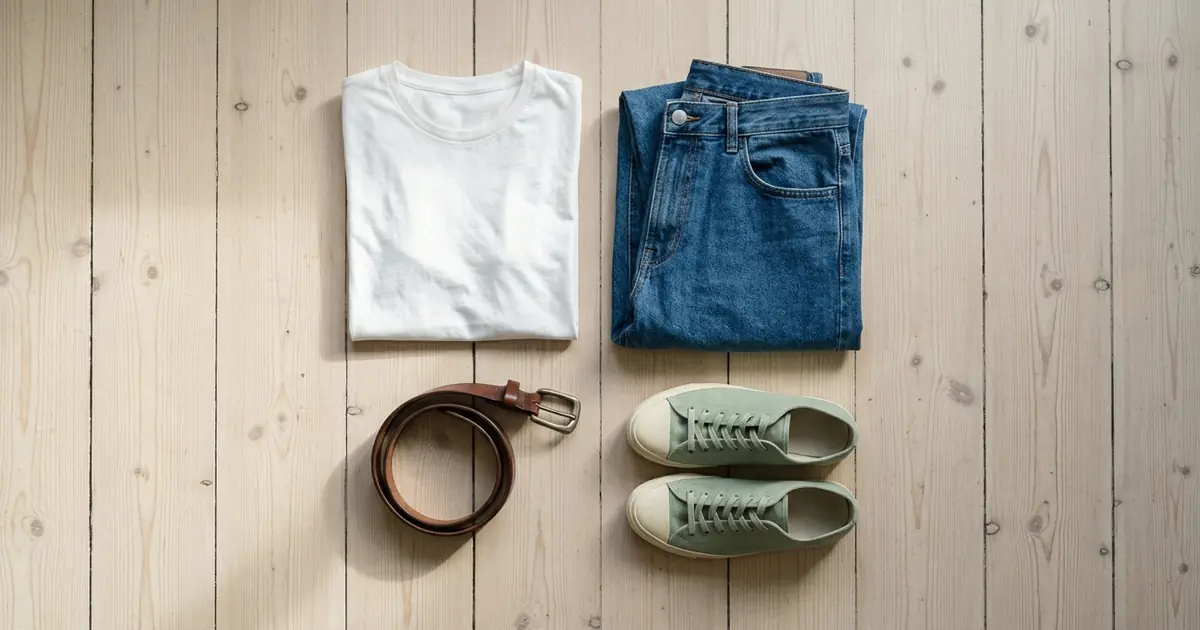
The best AI product photography tool for flat lay product images depends on what you sell and on the photo you start with. Photoroom has a Flat Lay tool that turns a photo of clothing on a hanger, mannequin or model into a clean top-down image, from $12.99 a month. Photta’s jewelry flat lay photography arranges up to four pieces from above on marble, wood, silk or slate, and its fashion studios turn a garment flat lay into on-model photos, from $19 a month with a free start and no card. Flair shows flat lay prompts for cosmetics, packaged goods, tech and food on its design canvas, and Pebblely’s own prompt guide gives flat lay prompts that end in “shot from directly above”, from US$9 a month. Eight more tools follow; every fact was read on the vendors’ own pages on 20 November 2026.
Photoroom is listed first and Photta second; the order of the others is not a ranking. Nothing was tested hands-on.
Photoroom vs Photta vs Flair vs Pebblely for flat lay product images
| Tool | Best for | Flat lay job | Starts from | Free start |
|---|---|---|---|---|
| Photoroom | Clothing flat lays across a catalogue | A top-down flat lay from a hanger, mannequin or model photo | $12.99 a month, or $7.50 billed yearly | Free trial on Pro and Max |
| Photta | Fashion and accessories: jewelry flat lays, and garment flat lays turned into on-model photos | Up to four pieces from above on a chosen surface; flat lay to model | $19 a month, or $12 one-time | Free start, no card, watermarked |
| Flair | Styled flat lays of cosmetics, bundles, tech and food | Prompted flat lay and overhead scenes on a canvas | $8 a month with the annual discount, as shown | 5 images |
| Pebblely | Prompted flat lays with props | A flat lay scene from a prompt ending “shot from directly above” | US$9 a month | No free trial |
| Nightjar | Flat lays with a fixed overhead camera setting | Product-only shots with Overhead Framing | $25 a month | 6 images, no card |
| Picjam | Matching flat lays for a whole fashion drop | Overhead flat lays with shared presets | $16 a month, billed yearly | Free to start, no card |
| Caspa AI | Garment flat lays next to lifestyle shots | Flat lay, on-model and lifestyle shots from a garment photo | $39 a month, billed yearly | No free plan; 30-day refund |
| ProductAI | A flat lay style among studio scenes | A “Flat lay” style listed with its other scenes | €16 a month | 4 free photos |
| CreatorKit | Flat lay background templates | A flat lay AI background behind your product | $39 a month | Free plan, 5 downloads |
| Uwear | Cleaning up clothing flat lays | Wrinkled garment photo to clean flat lay packshot; flat lay to model | $0.10 a credit, from $7 | No free plan; free preview of three products |
| Claid | Flat lays you already have | Flatlay to on-model photos | $9 a month, as shown | 50 credits |
| Pixelcut | Flat lays of small goods on styled surfaces | Flat Lay format in Product Studio, up to 4K | $10 a month, or $8 billed yearly | Free plan |
Which AI tool for flat lay product images by product category
The tools in each row are the ones on this list whose own pages show a flat lay for that kind of product.
| Product category | Tools on this list whose pages show it |
|---|---|
| Clothing | Photta (a garment flat lay turned into on-model photos, and a flat lay output in its ghost mannequin tool), Photoroom, Picjam, Caspa AI and Uwear |
| Jewelry | Photta (up to four pieces from above on marble, wood, silk or slate) |
| Accessories and soft goods | Photoroom, Pebblely (small accessories), Picjam and Pixelcut |
| Cosmetics and beauty | Flair (a lip kit flat lay), Pebblely and Pixelcut |
| Packaged goods, stationery and tech | Flair (bundles and tech devices), Pebblely (coffee and tea packaging, notebooks, soap bars), Nightjar (boxes and bottles) and Pixelcut (candles, stationery, tech gadgets) |
| Food | Flair (a dish photographed from above) and Pebblely |
| Perfume | CreatorKit (a flat lay background template for perfumes) |
| A clothing flat lay you already have, to on-model | Photta, Nightjar, Picjam, Uwear and Claid |
| Flat lays for a whole catalogue | Photoroom (Batch and API), Picjam (100 to 500+ SKUs) and Nightjar (API) |
For the wider field beyond top-down shots, see our list of AI product photography tools for ecommerce.
Making a flat lay product image, or starting from a flat lay
Two different jobs share the phrase. In the first, you have a photo taken some other way, on a hanger, on a mannequin, at an angle on a table, and the tool makes the flat lay: the product laid on a surface and seen from straight above. Photoroom, Photta’s jewelry workflow, Flair, Pebblely, Nightjar, Picjam, Caspa AI, ProductAI, CreatorKit and Pixelcut are on this list for that job.
In the second, the flat lay is what you already have, because it is the quickest photo to take of a garment, and the tool uses it as the source for an on-model photo. Photta, Nightjar, Picjam, Uwear and Claid describe this.
The first job needs more care. Nightjar’s help page puts it plainly: turning an angled photo into an overhead one means the AI creates pixels for a camera position that was not in the source, so the top panel, depth and label placement are inferred unless you supply photos of them. Give the tool a real top view when you can, and compare shape, logo and text with the real item before you publish.
The 12 best AI product photography tools for flat lay product images
1. Photoroom: flat lay clothing photos from a hanger, mannequin or model shot
Photoroom is the best-known tool here, and it has a tool named Flat Lay.
- Flat lay: Its page says you upload a photo of clothing on a hanger, mannequin or model and the AI generates a clean, top-down flat lay, with a choice of size and orientation. It also accepts accessory and soft goods photos, and the style can be applied across a catalogue with Batch or the API.
- Price: Pro is $12.99 a month or $7.50 a month billed yearly (8,000 AI credits and 1,000 exports a month), Max $34.99 or $20.99 billed yearly (25,000 and 3,000) and Ultra $99 or $82.50 billed yearly (75,000 and 10,000). Credits per flat lay are not stated.
- Free start: A free trial on Pro and Max; its length is not stated on the pricing page.
- Not for: 4K images on Pro or Max, which the pricing page marks as not included.
2. Photta: jewelry flat lay photos from above, and garment flat lays turned into on-model shots
Photta is an AI product photography studio for fashion and accessories: clothing, jewelry, eyewear, watches, shoes and bags, with the product worn on a model, on white, in a scene and in close-up from one photo. Here it does two things: a Jewelry Flat Lay workflow, and flat lay to model for the garment flat lays you already shoot.
- Flat lay: For jewelry, you upload up to four photos of your pieces and choose a surface (marble, wood, silk or slate, or a photo of your own surface) and a style (minimal, decorated, botanical or luxe). Each run makes two images by default, at 2K or 4K. For clothing, its ghost mannequin tool can return the garment laid flat instead of in 3D, and flat lay to model takes up to three photos of a garment (front, back and a close detail) and puts it on a model from its catalogue, one you make or your own.
- Price: About $0.16 to $0.25 a 2K product photo and about $0.21 to $0.32 a 2K on-model photo on the monthly plans, by our arithmetic from its llms.txt: Starter $19 or $29 a month, Seller $49 or $89, Brand $119, $219 or $369. One-time packs cost $12 or $20 and do not expire.
- Free start: A free start on sign-up, no card, enough for 4 on-model photos. Free photos carry a watermark until the first purchase.
- Not for: Shops that need the product’s original pixels untouched. Its own text says it redraws the piece from your photo, so compare stones, engraving and labels with the real item.
3. Flair: prompted flat lay scenes for cosmetics, bundles, tech and food
Flair is a design tool for product photoshoots: you stage a scene on a drag-and-drop canvas with props, and AI renders it.
- Flat lay: Its category pages show flat lay prompts as examples: a “Cosmetics Flatlay” of a lip kit bundle on the beauty page, a “Product Flatlay” described as an overhead view of a bundle on a white surface on the packaged goods page, a “Tech Flatlay” of several devices, and an “Overhead Food Shot” of a dish photographed from above. The angle comes from the prompt and the canvas.
- Price: With the annual discount switched on, as the pricing page showed it: Pro $8 a month, Pro+ $26 for 80 generated images and Scale $38 for 150. The Pro card states no image count.
- Free start: A free plan with 1 custom model, 5 generated images and 1 video.
- Not for: Buyers who need the Company Commercial License on the cheapest paid plan; the page lists it from Pro+.
4. Pebblely: flat lay product scenes from a prompt
Pebblely generates product photos with new backgrounds from your product photo, by theme or by your own prompt.
- Flat lay: Its prompt guide has a flat lay section with two prompts, for example a light wooden table with coffee beans, a linen napkin and a small plant, “shot from directly above”. The guide says that phrase tells the AI the camera angle, and lists coffee and tea packaging, notebooks, cosmetics, small accessories, food products and soap bars as products this suits. Bulk generate is on Basic and Pro.
- Price: Lite US$9 a month for 30 images, Basic US$19 for 200 and Pro US$39 for 500, which is about $0.30, $0.10 and $0.08 an image by our arithmetic.
- Free start: None. The pricing FAQ says: “We do not offer free trials.”
- Not for: Sellers who want to try a flat lay before paying.
5. Nightjar: flat lay product shots with an Overhead Framing setting
Nightjar is an AI product photography tool with three help pages about flat lays.
- Flat lay: In its Product Photography workflow you choose “Product only” and “Overhead” Framing, which its help page calls a fixed control for a top-down camera angle. A flat colour gives a clean listing image, a saved Background gives a surface such as linen, stone or timber, and Custom Directions describe the props. Another help page covers putting a flat-lay clothing photo on one of 80+ AI fashion models, and a built-in review retries obvious failures at no charge.
- Price: $25 a month for 150 credits (about $0.17 an image, as its page states), $50 for 400 and $100 for 800, rising to $350 for 2,800. A product photo is 1 credit at 1K or 2K and 2 at 4K.
- Free start: 6 credits with no card, enough for 6 product photos.
- Not for: Sellers who expect a faithful flat lay from one angled photo alone; its help page says hidden surfaces are inferred unless you add reference views.
6. Picjam: flat lay photos that match across a fashion drop
Picjam generates fashion and product imagery and scores listings; it has a page for flat lay photography.
- Flat lay: You upload packshots, hanger shots or existing flat lays, and Picjam generates overhead flat lays with the same background, lighting, shadow and crop across apparel and accessory SKUs. Presets are saved once and reused. The page describes runs across 100 to 500+ SKUs, and the same garment can then become an on-model or ghost mannequin image.
- Price: On yearly billing, Starter is $16 a month (billed $192, 4,500 credits a year), Studio $79 a month (billed $948) and Scale $899 a month. Its flat lay page says plans start at $99 a month; the two pages differ.
- Free start: “Free to start”, no card required, and 10 listings scored free.
- Not for: Shops shooting only a few SKUs in-house, which its own page points to its shooting guide instead.
7. Caspa AI: garment flat lay shots next to on-model and lifestyle photos
Caspa AI generates product photos with and without people.
- Flat lay: Its guide to flat lay clothing photography says that if you have no space for a flat lay setup, you upload a photo of the garment and Caspa generates flat lay, on-model and lifestyle shots, with the garment unchanged; that last part is the vendor’s claim.
- Price: On yearly billing, Starter is $39 a month for 500 credits (images only, upscaling to 4K), Growth $66 for 1,000 and Scale $166 for 2,500. Credits per image are not stated.
- Free start: No free plan; its FAQ says you add a card when you choose a plan. Every plan has a 30-day money-back guarantee.
- Not for: Sellers who want to see a result before entering a card.
8. ProductAI: a flat lay style among studio and on-model scenes
ProductAI turns one product shot into studio scenes, on-model and in-hand photos.
- Flat lay: Its home page lists “Flat lay” among its scene styles, next to Clean studio, On model, Floating and Lifestyle room. Its blog has a guide to shooting flat lays yourself. How the flat lay style is set up is not stated on the pages read. The site also lists an API.
- Price: Shown in euros: €16 a month for about 40 product photos, €29 for about 85 (with 4K), €49 for about 175 and €99 for about 375, which is about €0.26 to €0.40 a photo by our arithmetic.
- Free start: 4 free photos.
- Not for: Sellers who want a large free allowance before paying.
9. CreatorKit: flat lay AI background templates for product photos
CreatorKit makes AI product photos, ads and videos.
- Flat lay: Its template directory has a “Flat lay AI background” for perfumes, which you open in the AI Product Photo tool and replace with your own product image.
- Price: Pro $39 a month, Business $99 and Business Plus $134 on monthly billing. The pricing page lists image generations as unlimited and limits downloads by plan.
- Free start: A free plan at $0 with 5 downloads, as its pricing table shows.
- Not for: Teams that only need photos; most of its pricing page is about video and ad plans.
10. Uwear: clean flat lay packshots from wrinkled clothing photos
Uwear is a fashion tool that makes on-model photos from garment photos.
- Flat lay: Its guide describes taking a quick photo of a garment as it is, wrinkles included, and using AI Edits to remove wrinkles, give it a clean background and stage it as a flat lay packshot. Its flat lay to model page then turns them into on-model photos.
- Price: $0.10 a credit with no subscription. A photo is 3 credits ($0.30) on its default image model at 1K; other image models start at 2 credits. The minimum purchase is $7.
- Free start: No free plan. Instead you paste a store link and it emails on-model photos of three of your products within 24 hours.
- Not for: Products other than clothing; the pages read are about garments.
11. Claid: on-model photos from the flat lay images you already have
Claid is an AI product photography and photo editing suite with an API.
- Flat lay: Its flatlay-to-model page works from the flat lay, not towards it: in AI Fashion Models you upload existing flatlays or ghost mannequin photos and Claid generates on-model photos.
- Price: The pricing page showed $9 a month for 500 credits and $35 a month for 2,000, as shown; the page has a monthly and yearly switch, and which one these figures belong to was not clear.
- Free start: 50 credits, plus a trial of 5 images on Professional features.
- Not for: Sellers who need the flat lay itself made; the page read describes going from a flat lay to a model photo.
12. Pixelcut: flat lay shots of small goods on styled surfaces
Pixelcut’s Product Studio has a Flat Lay format, described on a page of its own.
- Flat lay: You upload one product photo, pick the Flat Lay format, set the angle and a background (white, soft grey, beige or a custom colour), add a prompt for surfaces such as marble, linen, concrete or pastel paper and for props, and generate up to four variations at up to 4K; an API is offered. It says the product’s shape, colours, logo and label text are preserved; that is the vendor’s claim.
- Price: Pro is $10 a month or $8 billed yearly with 600 AI credits a month, and Business $30 or $24 billed yearly with 3,600.
- Free start: A free plan, with export without a watermark.
- Not for: Buyers who want a stated number of flat lays per plan; the pricing page counts credits, not photos.
Which AI tool for flat lay product images fits your shop
- You need clothing flat lays from hanger or mannequin photos: use Photoroom or Picjam.
- You need jewelry laid out from above on marble, wood, silk or slate: use Photta.
- You already shoot garment flat lays and need on-model photos from them: use Photta, Uwear or Claid.
- You need a styled flat lay of cosmetics, packaged goods or tech with props: use Pixelcut, Flair or Pebblely.
- You need a fixed overhead camera setting and an automatic review of each image: use Nightjar.
- You need to pay per photo with no subscription: use Uwear or a one-time pack from Photta.
FAQ: AI tools for flat lay product images
What is a flat lay product image?
A flat lay is a photo of a product laid on a surface and taken from directly above. Pixelcut’s page defines it as a top-down shot where the product is arranged flat and photographed from overhead, and Picjam’s page adds that it is common for apparel, accessories and sets of several items.
Can AI make a flat lay from a photo taken at an angle?
Yes, according to several vendors, with a caveat. Nightjar’s help page says AI can generate a flat lay from an angled photo by synthesizing the overhead viewpoint, which means new pixels for a camera position that was not in the source. Surfaces the camera did not capture are inferred, so the page advises adding photos of the top, sides, labels and patterns.
Which AI tools have a dedicated flat lay setting?
On the pages read on 20 November 2026, Photoroom has a Flat Lay tool, Photta a Jewelry Flat Lay workflow, Pixelcut a Flat Lay format in Product Studio, Nightjar an Overhead Framing control and Picjam a flat lay tool page with presets. ProductAI lists a flat lay style. Flair and Pebblely show flat lay prompts in their examples and guides, so the angle is set in words, and CreatorKit offers a flat lay background template.
How much does an AI flat lay product photo cost?
Listed prices put one image between about $0.08 and $0.30. By our arithmetic Pebblely is about $0.08 to $0.30 an image depending on plan and Photta about $0.16 to $0.25 a 2K product photo; Nightjar’s page states $0.125 to about $0.17 and Uwear’s states $0.30 on its default model. Photoroom, Picjam, Caspa AI, Claid and Pixelcut sell monthly credits and do not state what one flat lay uses.
Can a clothing flat lay be turned into an on-model photo?
Yes. Photta, Nightjar, Picjam, Uwear and Claid all describe taking a garment flat lay and generating a photo of a model wearing it. Nightjar’s help page notes what a flat lay cannot show: drape, volume, length on the body and, unless you photograph it, the back. Photta and Uwear both describe adding a back photo to get a back view.
What photo should I upload to get a good AI flat lay?
Start with a clear, evenly lit photo that shows the whole product. Photta’s pages advise cleaning jewelry and shooting it in soft daylight on a plain background, and laying a garment flat with sleeves and details visible, shot from straight above. Nightjar asks for a real top view where possible and photos of each label or closure that may be visible.
Sources for this comparison of flat lay product image tools
- Photoroom: its Flat Lay tool page and pricing page, read on 20 November 2026.
- Photta: its jewelry flat lay photography page, flat lay to model page, pricing page and llms.txt, read on 20 November 2026.
- Flair: its home page, pricing page and its beauty, consumer packaged goods, tech and food category pages, read on 20 November 2026.
- Pebblely: its home page, pricing page with FAQ, and its guide to AI product photography prompts, read on 20 November 2026.
- Nightjar: its home page, pricing page and three help pages on flat lays, read on 20 November 2026.
- Picjam: its flat lay photography page and pricing page, read on 20 November 2026.
- Caspa AI: its home page, pricing page and its guide to flat lay clothing photography, read on 20 November 2026.
- ProductAI: its home page, pricing page and its guide to flat lay photography, read on 20 November 2026.
- CreatorKit: its flat lay AI background template page, AI product photos page and pricing page, read on 20 November 2026.
- Uwear: its guide to clean flat lay packshots, its flat lay to model page and pricing page, read on 20 November 2026.
- Claid: its flatlay-to-model page and pricing page, read on 20 November 2026.
- Pixelcut: its AI flat lay page and pricing page, read on 20 November 2026.