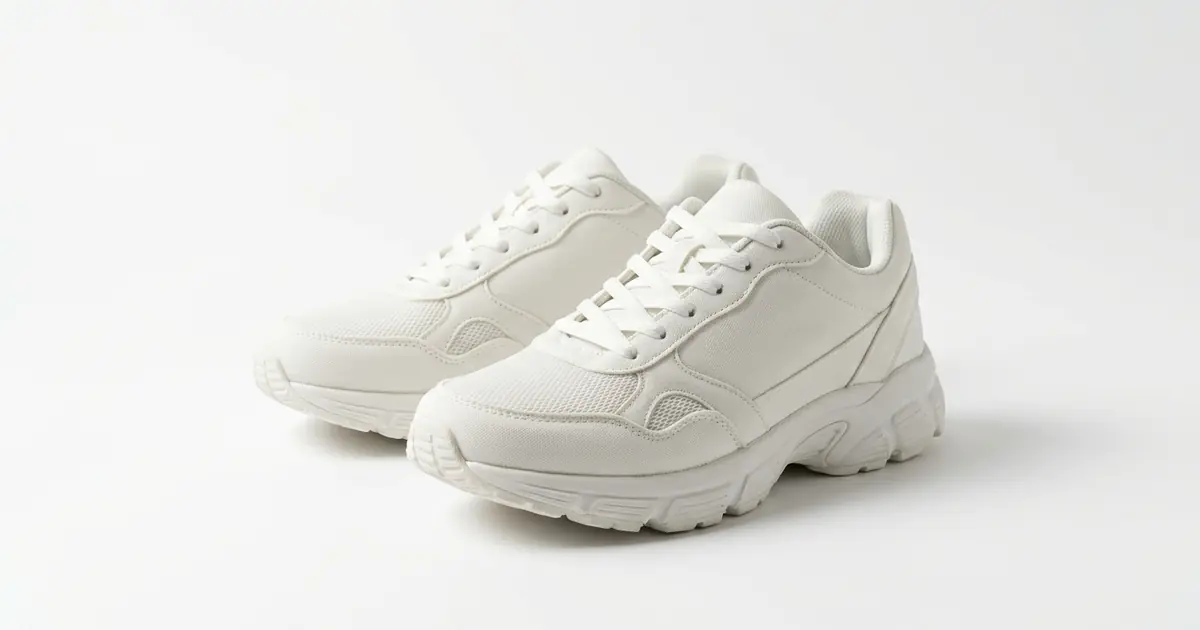
The best AI product photography tool for marketplaces depends on whether you still need the picture or already have it and need it to fit a rule. Photoroom is the name most sellers know: it cuts out and restages products in batches of up to 250 and saves your own template per channel, from $12.99 a month. To make the main photo from a phone photo, Photta’s Amazon product photo tool puts the product on pure white for about $0.16 to $0.25 a photo on its monthly plans, from $19 a month. Canva and Adobe Firefly also cut out and restage a product, but none of the three best-known tools’ pages names a ready-made Amazon, eBay or Etsy preset. Crop.photo does: it crops, pads and resizes your photos to retailer recipes, including Amazon’s. IMG101, Instasize, Removedo, Pixelz, Hypotenuse AI, Ecomtent and Sellshot AI cover presets, retouching, rule checks and lifestyle images. Photta’s and Photoroom’s prices were read on 18 November 2026, every other price and feature on the vendors’ own pages on 17 November 2026.
Photta is a sister product of pSeoMatic, from the same founder. Photoroom is listed first and Photta second; the order of the others is not a ranking. Nothing was tested hands-on.
Photoroom vs Photta vs Canva vs Adobe Firefly for marketplace product images
| Tool | Best for | Marketplace presets or checks | Starts from | Free start |
|---|---|---|---|---|
| Photoroom | Your own batch template per channel | Templates you define; QA check in the API | $12.99 a month, or $7.50 billed yearly | Free trial on Pro and Max |
| Photta | Making the main photo from a phone photo | Pure White backdrop, five ratios; no rule check described | $19 a month, or $12 one-time | 20 credits for 30 days, watermarked |
| Crop.photo | Bulk cropping to retailer recipes | Retailer recipes, including Amazon (US) at 4,000 × 4,000 px | $10 a month | 25 credits, watermarked |
| Pixelz | Retouching to a specification | Predefined specifications: Amazon, eBay, Etsy, Google Shopping | $95 a month plus $0.95 an image | Option for under 1,000 images a year |
| Hypotenuse AI | Checking a large catalogue | Rulesets per retailer; failures flagged | Custom price | Terms not stated |
| IMG101 | Free presets and a quick check | Amazon, eBay, Etsy presets; Amazon checker | Free | Free, no sign-up |
| Removedo | White backgrounds in large batches | Amazon, eBay, Shopify, Etsy presets | $10 a month | Not stated |
| Instasize | Resizing a batch | Amazon, Etsy, eBay, Shopify sizes | Free; AI from $39.99 a month | Free plan without AI |
| Ecomtent | Lifestyle images and infographics | Publishing to Amazon, Walmart, eBay; no size preset stated | $599 a month | Terms not stated |
| Sellshot AI | Generated main and lifestyle images | Pure white output; no separate check described | $29 a month | 10 credits |
| Canva | Listing graphics in a design editor | Bulk background removal and Magic Resize; no marketplace preset stated | US$144 a year | Free plan, limited downloads |
| Adobe Firefly | Generated backgrounds for a product | New aspect ratios; no marketplace preset stated | US$9.99 a month | Free daily generations |
Two kinds of AI product photography tools for marketplaces
A marketplace image has to be a good picture of the product and meet the marketplace’s written rule for size, background and framing.
The first kind makes the picture. Photta, Ecomtent, Sellshot AI and Adobe Firefly take a photo of your product and produce a new image: a studio shot on white, a lifestyle scene, an infographic, a new background. Amazon and eBay both ask for images that represent the item accurately, so a made image always needs a look next to the real thing.
The second kind fits or checks a picture you have. Crop.photo, IMG101, Instasize, Removedo and Pixelz keep your photo and change what surrounds it: they cut out the background, put white behind the product, pad it to a fill ratio and export it at a preset size. Photoroom and Canva sit in between: bulk cut-outs and generated scenes, with the size set by you.
This post covers the US and global marketplaces; feed images are in our post on AI tools for Google Shopping product images, and Zalando, OTTO and the others in our post on AI tools for European marketplace photos.
The 12 best AI product photography tools for marketplaces
1. Photoroom: marketplace product images from saved batch templates
Photoroom removes backgrounds, generates AI backgrounds and stages products, on one image or up to 250 at once.
- Marketplace presets or checks: You set the background, ratio, resolution and padding for a channel yourself and save them as a batch template. Its compliance article describes an Analyze QA feature in its API that detects cropping, ratio, text and background issues. Its pages name no Amazon or eBay preset with numbers.
- Price: Read on 18 November 2026: Pro $12.99 a month or $7.50 a month billed yearly, with 1,000 exports a month; Max $34.99 or $20.99 billed yearly, with 3,000; Ultra $99 or $82.50 billed yearly, with 10,000. The API has its own plans.
- Free start: A free trial on Pro and Max; its length and limits are not stated on the pricing page.
- Not for: Sellers who want a ready-made preset per marketplace with stated numbers.
2. Photta: marketplace product images from one phone photo, on pure white
Photta is an AI product photography studio. You upload up to four photos of one product; a phone photo is enough. You choose a backdrop such as Pure White, the light and one of five shapes, and get one to four photos at 2K, or 4K on the Seller and Brand plans. Its Etsy listing photo tool opens the same studio, and its marketplace image size reference lists nine platforms’ rules with sources.
- Marketplace presets or checks: A Pure White backdrop for the main image and five ratios. Its product photo page tells you to check each marketplace’s own rules, such as size and how much of the frame the product fills; its pages describe no automatic check against those rules.
- Price: About $0.16 to $0.25 a 2K product photo on the monthly plans, by our arithmetic: Starter $19 or $29 a month, Seller $49 or $89, Brand $119, $219 or $369. 4K starts on Seller. Without a plan, one-time packs of 50 credits for $12 or 100 for $20 do not expire, and the REST API is on every plan.
- Free start: 20 credits on sign-up, no card, enough for 5 product photos at 2K. They carry a watermark until your first purchase.
- Not for: Sellers who only need existing photos resized to a preset, or a compliance report. Photta redraws the shot from your photos, so compare the label, colour and shape with the real product.
3. Crop.photo: marketplace product images cropped in bulk to retailer recipes
Crop.photo crops, pads and resizes large sets of images and removes backgrounds in bulk, with reusable “recipes” that hold a retailer’s specification.
- Marketplace presets or checks: Retailer recipes with fixed output. Amazon (US) gives 4,000 × 4,000 px, 300 DPI, a #FFFFFF background, JPEG and a 25 px bottom margin. Its home page shows eight retailer recipes and says more than 100 exist; it names no eBay, Etsy or Walmart recipe.
- Price: LitePlus is shown at $10 a month for 100 credits, beside a $20 figure. A smart crop uses 0.8 credits and a background removal 1.5, about $0.08 and $0.15 on that plan by our arithmetic.
- Free start: 25 credits for 30 days. Cropped images carry a watermark.
- Not for: Making a new image. It reframes the photos you upload.
4. Pixelz: marketplace product images retouched to a predefined specification
Pixelz is a retouching service that combines expert retouchers with automated AI-driven steps. It edits your photos to a specification you set once.
- Marketplace presets or checks: Predefined Specifications are ready-made templates per sales channel; its pages name Amazon, eBay, Etsy and Google Shopping, and you can pick several marketplaces at once.
- Price: Professional is $95 a month plus a starting price of $0.95 an image, with next-morning delivery and 200 images a day. Enterprise is custom.
- Free start: The pricing page links a separate option for customers with fewer than 1,000 images a year. A number of free images is not stated.
- Not for: Sellers who need the image in seconds, or who have no photo yet.
5. Hypotenuse AI: a compliance check for marketplace product images across a catalogue
Hypotenuse AI is a product content platform for larger catalogues. It edits images in batches and checks them against rules.
- Marketplace presets or checks: You set a ruleset for each retailer or channel. Its checker page says it validates background colour, dimensions, resolution, aspect ratio, file format, file size, margins and cropping, and its photo editing page names cropping and resizing to spec for Amazon and Walmart.
- Price: The plans on its pricing page say “Custom”.
- Free start: A “Try for free” button. What the trial includes is not stated.
- Not for: A small shop that wants a listed price and a self-serve start.
6. IMG101: free browser presets and a checker for marketplace product images
IMG101 is a set of image tools that run in the browser. Its Amazon tool removes the background, adds pure white and pads the product to 85% of the frame.
- Marketplace presets or checks: Presets for Amazon (1,600 × 1,600 px), Etsy (2,000 × 2,000 px) and eBay (1,600 × 1,600 px). Its Amazon main image checker tests up to 50 images for the share of white pixels, added text and centring, in the browser. The thresholds are IMG101’s own, so treat a pass as a screening.
- Price: Free. Pro subscriptions for larger batches are mentioned without a price.
- Free start: All tools are free with no daily quota, up to 50 images a run.
- Not for: Sellers who need a Walmart size preset, which its pages do not list.
7. Removedo: white-background marketplace product images in large batches
Removedo cuts products out with AI and places them on white.
- Marketplace presets or checks: An Amazon preset that outputs 2,000 × 2,000 px on pure white with an 85% fill ratio, and preset configurations for eBay, Shopify, Etsy and Walmart. Batches take up to 10,000 images. A guaranteed pass on Amazon is the vendor’s claim; no check step is described.
- Price: One credit an image. AI Starter is $10 a month for 40 credits, Lite $19 for 80 and Pro $31 for 300: about $0.10 to $0.25 an image. Pay-as-you-go credits are $0.50 each and do not expire.
- Free start: Not stated; plans carry a 14-day money-back guarantee.
- Not for: Lifestyle scenes or a compliance report.
8. Instasize: marketplace product images resized with listing presets
Instasize’s batch editor applies one edit to up to 200 photos and exports them as a zip.
- Marketplace presets or checks: Amazon Listing 2,000 × 2,000 px, Etsy Listing 2,700 × 2,025 px, eBay Listing 1,600 × 1,600 px and Shopify Product 2,048 × 2,048 px. The page does not describe a compliance check.
- Price: The free plan resizes and converts. Batch background removal is listed on Pro at $39.99 a month; Ultimate is $59 and Max $259.
- Free start: A free plan with batch resize and no AI features, and a 3-day trial of Pro for first-time members.
- Not for: A white cut-out on the free plan, or a Walmart preset, which the page does not list.
9. Ecomtent: lifestyle and infographic marketplace product images for Amazon, Walmart and eBay
Ecomtent generates lifestyle scenes, infographics and A+ content, with listing copy.
- Marketplace presets or checks: Its pricing page says it publishes directly to Amazon Seller and Vendor, Walmart, eBay and other marketplaces. Its pages do not state output sizes, a white-background main image or an image check.
- Price: Seller / Vendor is $599 a month for up to 25 SKUs, Agency $1,599 for 100 and Retailer $5,999 for up to 1,000, on monthly billing.
- Free start: A “Get Started Free” button on the home page; terms not stated.
- Not for: A seller who needs only a main image, or a low monthly bill.
10. Sellshot AI: generated main and lifestyle marketplace product images
Sellshot AI generates listing images from a product photo: a main image on white, lifestyle scenes and detail angles, with presets per marketplace.
- Marketplace presets or checks: A white-background generator with style presets and pure white RGB 255, 255, 255 output. Its pages name Amazon, eBay, Walmart, Etsy and more than 30 platforms. Compliance is the vendor’s claim; no separate check is described.
- Price: On monthly billing Starter is $29 a month for up to 500 images, Growth $79 for 1,625 and Pro $159 for 5,000: about $0.03 to $0.06 an image.
- Free start: 10 free credits on sign-up.
- Not for: Sellers who want the original pixels kept. Its pages do not say whether the product is kept or redrawn.
11. Canva: marketplace product images edited in a design tool
Canva is a design editor with an AI background remover. Its background remover page says you can remove backgrounds from a batch of images in one go for product listings, and use Magic Resize to adapt the result to other formats.
- Marketplace presets or checks: Bulk background removal and Magic Resize. The pages we read name no Amazon, eBay or Etsy preset and describe no compliance check.
- Price: US prices on its pricing page are Pro at US$144 a year for one person and Business at US$250 a year per person. AI tools share a monthly allowance that varies by plan.
- Free start: A free plan; the background remover gives a limited number of free high-resolution downloads, and Pro and Business offer a free trial.
- Not for: Sellers who want a marketplace size and a white-pixel check set for them.
12. Adobe Firefly: generated backgrounds for marketplace product images
Adobe Firefly generates and edits images. Its background generator page says it detects the subject, separates it from the background and generates a new environment, and can expand an image to a vertical, horizontal or square ratio.
- Marketplace presets or checks: New aspect ratios, Generative Remove and Generative Fill. The pages we read name no marketplace preset and describe no compliance check. Adobe calls results from its own Firefly image model commercially safe; that is the vendor’s claim.
- Price: Firefly Standard is US$9.99 a month for 2,000 credits, up to 400 images; Firefly Pro US$19.99 and Pro Plus US$49.99, with a dated introductory discount showing.
- Free start: Firefly Free gives free daily generations with an Adobe account; the number is not stated.
- Not for: A main image that must keep the exact product photo on white; Firefly’s page is about new backgrounds and scenes.
How to check marketplace product images before you publish
| Check | Amazon | eBay | Etsy | Walmart |
|---|---|---|---|---|
| Size | 500 to 10,000 px on the longest side; zoom from 1,000 px | At least 500 px on the longest side | 2,000 px or more recommended; first photo at least 635 px | 2,200 × 2,200 px recommended |
| Main image background | Pure white, RGB 255, 255, 255 | No rule in the picture policy | No white rule | White, RGB 255, 255, 255 |
| Framing | Product shown as 85% of the image, whole and once | Not stated | First photo landscape or square | 1:1 square |
| AI images | Metadata tag for photorealistic AI-generated people | Must represent the item accurately | One unedited photo of the item; note AI edits | Truthful, not misleading |
Before you upload, compare the image with the product at full size and read the marketplace’s own page once more, because rules change without notice.
Which AI product photography tool for marketplaces fits your shop
- You already work in Photoroom and will set each channel’s size in a saved template: use Photoroom.
- You have a phone photo and no main image: use Photta or Sellshot AI.
- You have photos and need them cropped to a retailer’s recipe in bulk: use Crop.photo.
- You need Amazon, eBay or Etsy sizes today, for free: use IMG101 or Instasize.
- You need thousands of cut-outs on white each month: use Removedo or Crop.photo.
- You want an editor’s hand on every image, or a check across a large catalogue: use Pixelz or Hypotenuse AI.
- You need lifestyle images and infographics for a gallery: use Ecomtent or Sellshot AI.
- You already work in Canva or Adobe apps and will set sizes yourself: use Canva or Adobe Firefly.
FAQ: AI product photography tools for marketplaces
What is the best AI product photography tool for marketplaces?
It depends on whether you need the picture made or fitted. Photoroom is the best-known tool for cut-outs and batches with your own saved template, Photta makes the main photo on pure white from a phone photo for about $0.16 to $0.25 on its monthly plans, and Crop.photo, IMG101, Instasize and Removedo fit existing photos to Amazon, eBay or Etsy presets. Canva and Adobe Firefly remove or replace backgrounds, but their pages, like Photoroom’s, name no marketplace presets.
Is Photoroom, Canva or Adobe Firefly better for marketplace product images?
They do different jobs. Photoroom saves your own batch template and describes a QA check in its API, Canva removes backgrounds in bulk inside a design editor, and Adobe Firefly generates new backgrounds and aspect ratios. None of the three lists a ready-made Amazon, eBay or Etsy size preset on the pages read on 17 November 2026.
Can AI make marketplace product images that pass Amazon’s main image rules?
It can produce an image that meets the published rules, but no tool can approve it. Amazon asks for a pure white background with the product shown as 85% of the image, and Photta, Removedo, IMG101 and Sellshot AI all output on pure white. Amazon decides, and may remove a listing from search when it has no compliant main image.
How much do AI marketplace product images cost?
From nothing to $599 a month and more. Photoroom Pro is $12.99 a month for 1,000 exports, Photta about $0.16 to $0.25 a photo from $19 a month, IMG101 is free, Removedo works out at about $0.10 to $0.25 an image, Pixelz at $95 a month plus $0.95 an image, and Ecomtent starts at $599 a month for 25 SKUs.
Will AI change my product in marketplace product images?
It can. Tools that generate the image or the scene, such as Photta, Ecomtent, Sellshot AI and Adobe Firefly, work from your photo, so a label, colour or small detail may differ. Tools that only cut out, pad and resize, such as Crop.photo, Instasize and IMG101, keep your photo and change the area around it.
Sources for this comparison of AI product photography tools for marketplaces
- Photta: the AI product photos, Amazon and Etsy product photo tool pages, the pricing page, the marketplace image size reference and llms.txt, read on 18 November 2026 (prices) and 17 November 2026 (tool pages). The pricing page shows prices in the visitor’s currency; the US dollar figures are from llms.txt.
- Crop.photo, Pixelz, Hypotenuse AI, IMG101, Removedo, Instasize, Ecomtent and Sellshot AI: each vendor’s own product, tool and pricing pages, read on 17 November 2026.
- Photoroom: the batch editor page and its article on image compliance tools, read on 17 November 2026, and the pricing page (US dollar figures from its structured data), re-read on 18 November 2026.
- Canva: the US pricing page and the background remover page, read on 17 November 2026.
- Adobe Firefly: the US plans page and the background generator page, read on 17 November 2026.
- Marketplace rules: Amazon’s product image guide, eBay’s picture policy and Etsy’s help article on image requirements, read on 15 November 2026. Walmart’s rules are taken from Photta’s marketplace image size reference, which read Walmart’s page on 18 October 2026.
- Cost per image is our own arithmetic from the listed plan prices and credit costs.
- Nothing was tested hands-on.