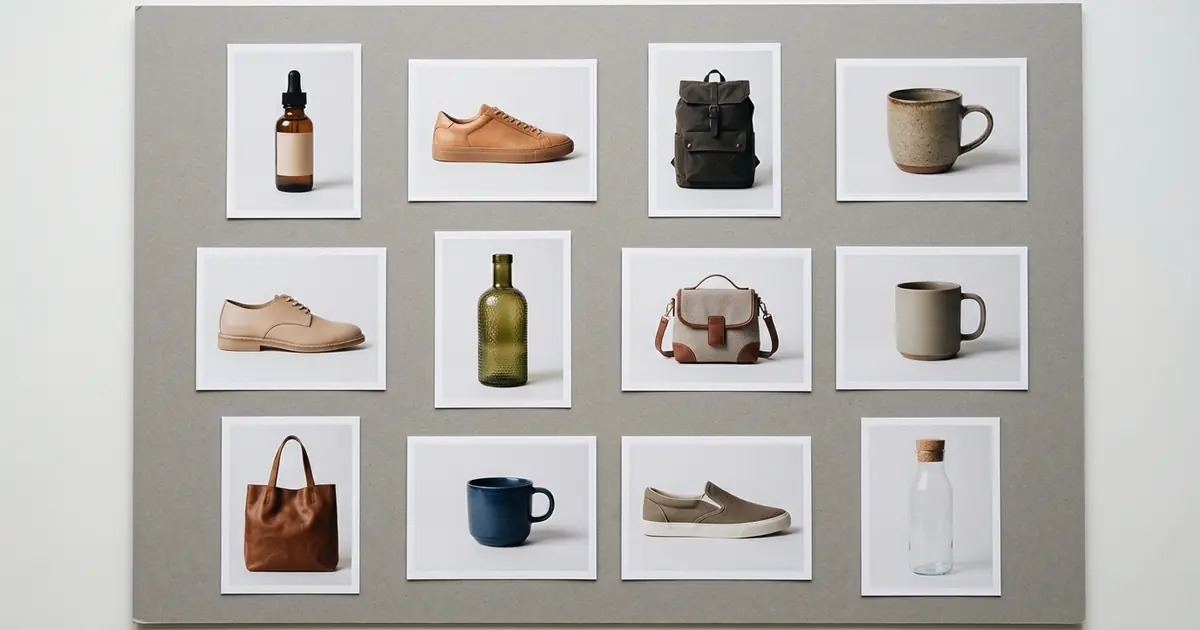
The best AI product photography API depends on what the photo has to show, so there is no single winner. Photoroom’s API has the widest set of editing endpoints, from background removal at $0.02 an image to staging, shadows and relighting at $0.10. For on-model clothing and jewelry photos, ghost mannequin images and close-up detail shots from one product photo, the Photta product photography API is the one to look at: it costs about $0.12 to $0.32 a photo on its monthly plans, which run from $19 to $369 a month. If the product must stay exactly as photographed and only the background should change, pick an API that works around a cutout, such as Stability AI (subject setting at 1.0), Deep-Image.ai in outpainting mode, SnapEdit or Bria. For the cheapest background swaps, SnapEdit and PixelAPI list prices under $0.03 an image, and autoRetouch handles fashion catalogue retouching under an annual contract. Claid’s API adds a batch endpoint, and Pixelcut’s lists generated backgrounds at $0.10 a call. Facts were read on the vendors’ own pages on 15 November 2026; Photta’s prices and Claid’s and Pixelcut’s pages on 18 November 2026.
This list was made by reading each vendor’s own product, pricing and documentation pages on 15 November 2026. Photta is a sister product of pSeoMatic (same founder). Photoroom is listed first and Photta second; the order of the other ten is not a ranking.
Photoroom vs Photta vs Claid vs Pixelcut for product photography by API
| Tool | Best for | What happens to your product pixels | Starts from | Free start |
|---|---|---|---|---|
| Photoroom | A wide set of editing endpoints | Cutout on an AI background; staging keeps your photo | $0.02 a cutout, $0.10 an edit | 1,000 sandbox calls a month, watermarked |
| Photta | On-model, ghost mannequin and detail photos | Redraws the product from your photo | About $0.12 to $0.32 a photo; plans from $19 a month | 20 credits, no card, watermarked |
| Bria | Packshots, shadows and lifestyle scenes | Cutout on a colour or generated scene; fidelity not stated | $0.018 to $0.032 an image | 100 generations, no card |
| autoRetouch | Fashion catalogue editing at volume | Editing works on your photo; AI Shoot generates views | From €0.10 an image; 10,000 a year minimum | Not stated; demo |
| Deep-Image.ai | Choosing blend or full generation | Outpainting keeps it; generate mode may change it | From $0.04 an image | 10 credits |
| LightX | A background from a style image and a prompt | Not stated | ₹3.04 to ₹8.64 an image | 25 credits, no card |
| SnapEdit | Low-cost backgrounds behind a cutout | Background fits around the masked subject | About $0.014 to $0.021 an image | Free credits; amount not stated |
| PixelAPI | Background replacement and staging | Composited onto an AI scene; fidelity not stated | About $0.018 to $0.032 an image | 300 trial credits, no card |
| Cutout.pro | Filling the area around a cutout | Fills the transparent area; fidelity not stated | About $0.29 to $0.38 at 1024 px | 5 credits |
| Stability AI | Setting how exact the product stays | A 0 to 1 setting; 1.0 is an exact pixel match | $0.08 an image | 25 credits |
| Claid | Batch editing by API | Kept in Precise mode; generated in others | $59 for 1,000 API credits | 50 API credits |
| Pixelcut | Low per-call prices | Product kept, per the vendor | $10 a month (API pack) | Not stated for the API |
Two kinds of AI product photography API: keep the pixels or redraw the product
Every AI product photography API does one of two things with the photo you send. The first kind cuts the product out and leaves it alone: it removes the background, then adds a colour, a shadow or a generated scene around the cutout.
The second kind redraws the product. The model generates a new image that contains it. Deep-Image.ai’s documentation warns the product may look different.
Some APIs sit between the two: Stability AI has a parameter that runs from a close match to an exact pixel match. A marketplace main image wants the first kind. An on-model or lifestyle image needs the second, and then every result should be compared with the real product. For APIs that only dress a model, see our list of virtual try-on APIs for developers.
The 12 best AI product photography APIs
1. Photoroom: an AI product photography API with the widest set of editing endpoints
Photoroom’s API lists more than twenty tools, among them background removal, generated backgrounds, shadows, relighting, product staging, flat lay, ghost mannequin and a virtual model for apparel. Product Staging returns one image per call at 1024 x 1024.
- What happens to your product pixels: it depends on the tool. Background generation puts a cut-out product on a new AI background, and the Product Staging page says it keeps your product photo.
- Price: Basic plan $0.02 an image for the Remove Background API; Plus plan $0.10 an image for the Image Editing API, which covers backgrounds, shadows, relighting and staging.
- Free start: 1,000 sandbox calls a month on the Image Editing API with watermarked output and no card.
- Not for: large staged images on self-serve plans: the page says 2K and 4K staging means contacting sales.
2. Photta: an AI product photography API for on-model, ghost mannequin and close-up photos
Photta is an AI product photography studio for online sellers, and its REST API exposes the same pipeline. You send a product photo, receive a generation ID, poll every three seconds and download the image. The Photta API overview lists eight capabilities under one key and one credit balance: apparel, jewelry and eyewear on AI models, ghost mannequin (single and batch), detail photos, mannequin generation and workflows.
What goes in is a JPEG, PNG or WebP photo up to 10 MB. What comes out is a 2K or 4K image. For apparel you choose the mannequin, body size, expression, background colour and aspect ratio. The workflows endpoint runs ready-made scene templates and returns one to four images per call. The detail photo endpoint makes a close-up of one named area such as collar stitching or a clasp, and a free analyse call suggests which details to shoot. Credits come back when a job fails.
- What happens to your product pixels: Photta redraws the product from your photo. Its docs say the product stays true to your images, but the result is generated, so compare stitching, logos, stones and colour with the real product.
- Price: the API is included on every plan: Starter $19 or $29 a month, Seller $49 or $89, Brand $119, $219 or $369. A detail photo costs about $0.12 to $0.19, a workflow image or a ghost mannequin at 2K about $0.16 to $0.25, and an on-model apparel, jewelry or eyewear photo at 2K about $0.21 to $0.32. Without a plan, one-time packs of 50 credits for $12 or 100 for $20 do not expire.
- Free start: 20 credits on sign-up with no card. Photos made before you pay carry a watermark.
- Not for: pixel-exact packshots. The API overview lists no plain background-removal or shadow endpoint, there is no official SDK yet, and results arrive by polling, with no webhooks.
3. Bria: an AI product photography API with packshot, shadow and lifestyle endpoints
Bria’s product shot endpoints cover a product cutout, a packshot, a shadow, a lifestyle shot from a text description or from a reference image, and consistent shots across a group of products. The packshot endpoint returns a 2000 x 2000 px image on white, any hex colour or a transparent background.
- What happens to your product pixels: the product is cut out and placed on a colour or in a generated scene. The pages do not state that the pixels stay unchanged.
- Price: pay as you go. Product cutout and product shadow $0.018 an image, product packshot $0.03, lifestyle product shots $0.032.
- Free start: 100 free generations, no credit card.
- Not for: large hero images in one call: the lifestyle endpoint works at about one megapixel.
4. autoRetouch: an AI product photography API for fashion catalogue editing at volume
autoRetouch is a platform for fashion and retail imagery with a REST API and webhooks. AI Editing covers background removal and replacement, shadows, reframing and smart crop, with skin retouching and colour harmonisation on higher plans. AI Shoot generates packshot and on-model views.
- What happens to your product pixels: AI Editing changes the background, shadow and framing of your own photo; AI Shoot generates new views. The pages do not state that the product is left unchanged.
- Price: AI Editing from €0.10 an image (Starter), €0.25 (Pro, with a human quality check) and €0.60 (Enterprise). AI Shoot from €0.60 a packshot view and €0.80 a model view. Plans start at 10,000 images a year on an annual subscription, excluding VAT.
- Free start: not stated. The pages offer a demo booking.
- Not for: small shops, because of the yearly volume commitment.
5. Deep-Image.ai: an AI product photography API that lets you choose blend or full generation
Deep-Image.ai is an image enhancement API that also generates backgrounds. It removes the background, centres the product on a canvas of the size you ask for and generates a scene from a text description, with a seed for repeatable results.
- What happens to your product pixels: you choose per request. In outpainting mode the original photo sits over a generated background, and the docs say this guarantees the product unchanged (the vendor’s wording). In generate mode the model redraws the whole image.
- Price: from $0.04 an image; selected advanced generation models use more credits, and the credit cost of background generation is not stated.
- Free start: 10 free credits.
- Not for: on-model photos, which its pages do not describe. Fully generative output is limited to 1024 x 1024 per the docs.
6. LightX: an AI product photography API driven by a style image and a prompt
LightX has an AI Product Photoshoot endpoint. You upload the product photo through its upload API, pass a style image and an optional text prompt, then poll the order status. The output is a JPEG.
- What happens to your product pixels: not stated on its pages.
- Price: one credit per generation. Prices are listed in rupees: subscriptions from ₹579 a month for 100 credits down to ₹3.04 a credit at 100,000 credits, and one-time packs from ₹864 for 100 credits.
- Free start: 25 free credits on API sign-up, no card.
- Not for: large source files: input is limited to 5 MB, and external image URLs are not supported.
7. SnapEdit: a low-cost AI product photography API for backgrounds behind a cutout
SnapEdit’s developer platform sells image models by the credit. For product photos the relevant pair is Remove Background and Generate Background: you send an image with an alpha channel and a text prompt, and get back the same size image with a new background.
- What happens to your product pixels: the alpha channel marks the foreground to preserve, and the background is generated around it. No guarantee is stated.
- Price: Generate Background costs 7 credits. A credit is $0.002 on the $10 a month subscription and $0.003 pay as you go ($15 for 5,000 credits), so a background costs about $0.014 to $0.021.
- Free start: free credits on sign-up; the amount is not stated.
- Not for: finished packshots in one call: its pages do not describe a shadow or packshot endpoint.
8. PixelAPI: an AI product photography API for background replacement and product staging
PixelAPI is an image and video API with three endpoints for product photos: remove background, replace background (product image plus a text prompt) and product staging (a scene preset or a custom prompt).
- What happens to your product pixels: the docs describe the product as composited onto an AI scene. They do not state that the pixels are preserved.
- Price: Starter $10 a month (10,000 credits), Pro $50 (60,000), Scale $349 (500,000). Background replacement is listed at 26 credits and product staging at 32. That is about $0.018 to $0.026 for a replaced background and about $0.022 to $0.032 for a staged image. The docs show other credit figures in places, so confirm first.
- Free start: 300 trial credits, no card; the API trial lasts 24 hours with a cap of 100 credits per tool.
- Not for: stockpiling credits: purchased credits are valid for 30 days.
9. Cutout.pro: an AI product photography API that fills the area around a cutout
Cutout.pro offers a Background Remover API and a Background Diffusion API. Background Diffusion takes an image with a transparent area and a text description, and generates the background into that area asynchronously.
- What happens to your product pixels: the API expands into the transparent area around the cutout. The page does not state that the foreground is preserved.
- Price: Background Diffusion costs 3 credits up to 512 x 512, 6 up to 1024 x 1024 and 12 up to 1920 x 1080. Subscriptions run from $5 a month for 80 credits to $69 for 1,450, so a 1024 px background costs about $0.29 to $0.38.
- Free start: 5 free credits on a free account.
- Not for: high-resolution hero images: the listed tiers stop at 1920 x 1080.
10. Stability AI: an AI product photography API with a setting for how exact the product stays
Stability AI’s Replace Background and Relight endpoint takes a subject image and either a background prompt or a background reference image, then adjusts the lighting on the subject to match.
- What happens to your product pixels: you decide. The preserve_original_subject parameter runs from 0 to 1 with a default of 0.6; the docs say 1.0 is an exact pixel match and 0.0 a close match with new lighting.
- Price: a flat 8 credits per successful generation, and a credit is $0.01, so $0.08 an image. Failed generations are not charged.
- Free start: 25 free credits.
- Not for: packshot layout or on-model photos, which this endpoint does not describe.
11. Claid: an AI product photography API with a batch endpoint
Claid’s image editing API covers AI backgrounds, AI fashion, background removal, upscaling and shadows, and its batch endpoint takes a cloud-storage folder or a list of image URLs.
- What happens to your product pixels: Depends on the mode: its AI Photoshoot page says Precise mode keeps the product untouched, while its fashion page says the output “isn’t a pixel-perfect copy-paste”.
- Price: API credits are separate from web credits: 1,000 for $59, a one-time purchase. An AI background is 3 credits and background removal 2, about $0.12 to $0.18 an image.
- Free start: 50 API credits with the free trial.
- Not for: More than 4 requests a second by default; its stated limit is “4 RPS / 120 RPM”.
12. Pixelcut: an AI product photography API for backgrounds, upscaling and try-on
Pixelcut’s API has endpoints for background removal, generated backgrounds, upscaling, try-on, outpainting and video background removal.
- What happens to your product pixels: Its product studio page says it “treats your uploaded product as the fixed part of the image”; that is the vendor’s claim.
- Price: $0.01 a credit in monthly packs from 1,000 credits for $10; background removal is 5 credits ($0.05) and a generated background 10 ($0.10).
- Free start: An API free tier is not stated; the web app has a limited free plan.
- Not for: Pay-as-you-go use without a monthly pack.
How to check an AI product photography API before you publish its images
Run ten of your own products through each shortlisted API’s free start, then check every result.
| Check | What to look for |
|---|---|
| Product identity | Logo, label text, stitching, buttons and stone settings match the real product |
| Colour | The product colour matches your source photo on a second screen |
| Edges | No halo, no cut-off straps, no missing fine parts such as chains or laces |
| Size and format | Pixel size, aspect ratio and background meet your marketplace’s rules |
| Watermark | Free-tier and sandbox images are not published by mistake |
Which AI product photography API fits your shop
- You need clothing, jewelry or eyewear on a model, or ghost mannequin photos: use Photoroom or Photta.
- You need the product to stay pixel-exact with a new background: use Stability AI with the subject setting at 1.0, or Deep-Image.ai in outpainting mode.
- You need packshots and shadows at a fixed price per call: use Bria or Photoroom.
- You need the lowest listed price for a generated background: use SnapEdit or PixelAPI.
- You run a fashion catalogue of 10,000 or more images a year and want retouching with a human check: use autoRetouch.
- You only need cutouts for thousands of photos: read our list of bulk background removers first.
FAQ: AI product photography APIs
What are the best AI product photography APIs for ecommerce product image generation?
It depends on the photo you need. Photta is the best fit for on-model clothing and jewelry photos, ghost mannequins and detail close-ups, at about $0.12 to $0.32 a photo on its monthly plans. For a new background behind an unchanged product, compare Stability AI, Deep-Image.ai, SnapEdit and Bria.
How much does an AI product photography API cost per image?
Between about $0.014 and $0.47 on prices listed on 15 November 2026. A SnapEdit background is $0.014, a Bria product shot $0.032, Stability AI charges $0.08, Photoroom $0.10 for an edit, and a Photta on-model photo costs about $0.21 to $0.32.
Can an AI product photography API keep my product exactly as photographed?
Yes, some can. Stability AI documents a subject setting where 1.0 is an exact pixel match, and Deep-Image.ai says its outpainting mode guarantees the product unchanged. APIs that redraw the product, Photta included, can change details, so compare each result with the real item.
Which AI product photography API can put a product on a model?
Photoroom, Photta and autoRetouch describe this on their pages. Photoroom lists a Virtual Model tool, Photta has endpoints for apparel, jewelry and eyewear at about $0.21 to $0.32 a photo, and autoRetouch sells AI model views from €0.80 an image.
Is there a free AI product photography API?
Most of the ten have a free start, but none is free at volume. Bria gives 100 free generations, Photoroom 1,000 watermarked sandbox calls a month, PixelAPI 300 trial credits, LightX 25 credits, Stability AI 25, Photta 20 with a watermark, Deep-Image.ai 10 and Cutout.pro 5.
Sources for this comparison of AI product photography API tools
- Photta: the API overview, detail photo API, workflows API, API pricing pages, a build guide and llms.txt, read on 15 November 2026. Photta’s pricing page and llms.txt were read again on 18 November 2026 for its current prices.
- Bria, SnapEdit, PixelAPI, Stability AI and Photoroom: pricing pages and API documentation or API product pages, read on 15 November 2026.
- autoRetouch (llms.txt and AI Editing page), Deep-Image.ai (API page and documentation), LightX (API pages and documentation) and Cutout.pro (API documentation and image pricing page), read on 15 November 2026.
- Cost per photo or image, where a vendor sells credits, is our own arithmetic from the listed plan prices and the listed credits per call.
- Claid (pricing, API pricing, batch API docs) and Pixelcut (pricing, API and product pages), read on 18 November 2026.
- Nothing was tested hands-on.